Service calls and project days
Electrical scheduling software
Electrical scheduling software for shops that run service calls and project work side by side. Homeowners book a troubleshooting call online, a two-day panel upgrade is set as one job per day with the same electrician, and the city inspection goes on the calendar so nobody books over it.
A short tour of the screens this page describes. It is filmed with our demo pest control company, and every trade runs on the same screens.
- From $19/month
- 14-day free trial
- Same-day US support

“We run every customer conversation through Smarfle. Texts, emails and reminders are in one place, our customers love paying with Apple Pay, and when we are busy or closed the text bot answers new leads for us.”
Troubleshooting calls online
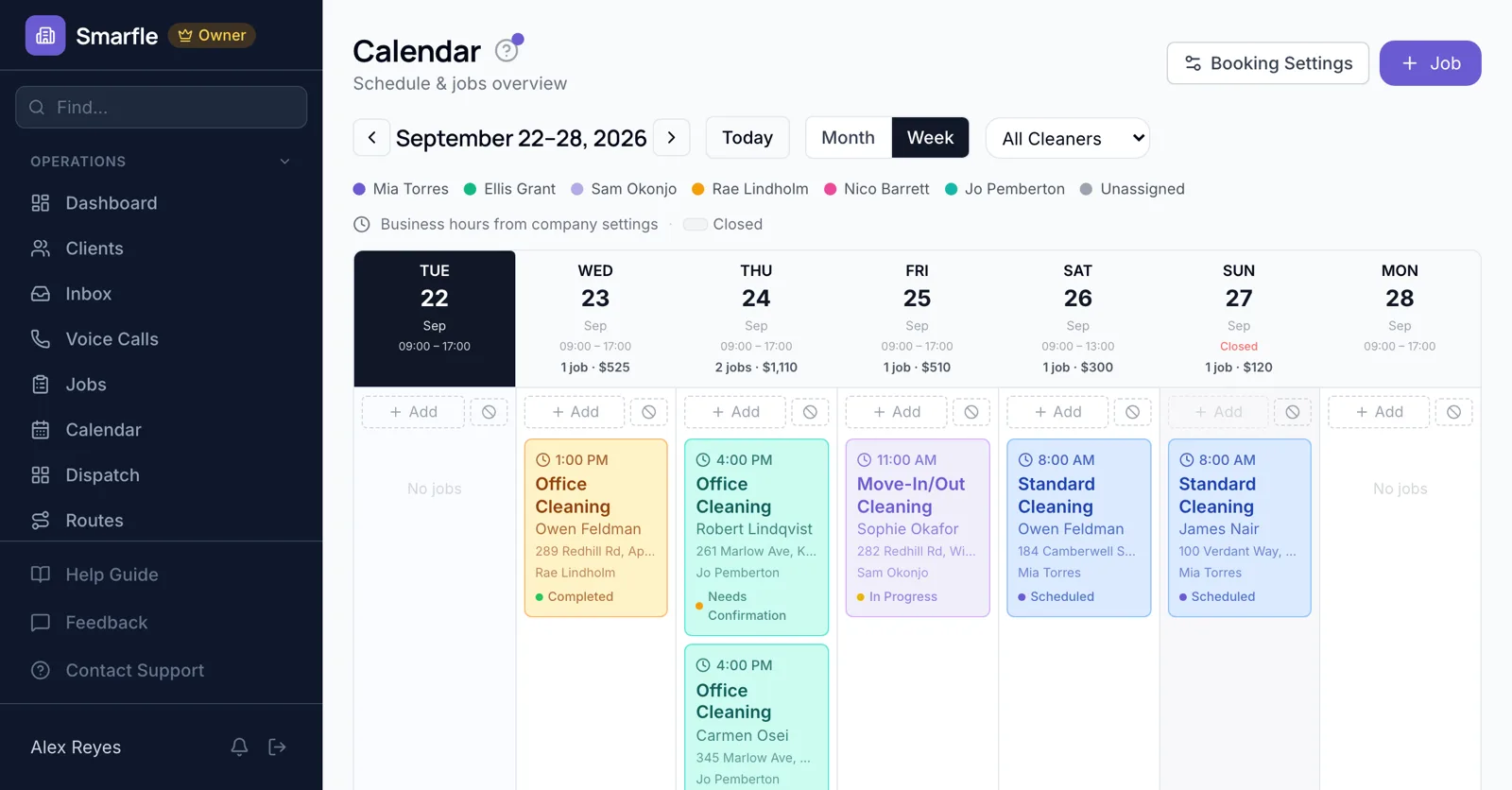
Homeowners pick a service such as outlet repair or breaker trips and an open time. Questions about the panel brand and what happened arrive with the request, and you confirm before the slot is final.
Online bookingMulti-day project work
A panel swap and rewire over two days becomes two jobs on consecutive days for the same electrician, so the calendar shows them unavailable for service calls on both.
Calendar schedulingInspections and utility cut-overs
Rough-in and final inspection dates, and the utility disconnect, go in the project notes, and the crew's next day is booked around them so someone is there when the inspector arrives.
Job managementReschedules that reach everyone
Move a job and both the homeowner and the assigned electrician receive the new time, and the job moves on Google Calendar too if it is connected.
Automatic textsGenerator maintenance
Quarterly generator checks repeat on their own, and longer cycles get a maintenance reminder so the customer hears from you before the next storm.
Recurring jobsElectrician scheduling software features
What it does
- Online booking for service callsApproval by default
- Project days with one electricianOne job per day
- Reschedule noticesCustomer and electrician
- Quarterly maintenance visitsCreated ahead
What it doesn't do
- Single job spanning several daysBook each day
- Permit and inspection trackingNote dates on the project
- Customer picks the electricianAssigned by you
- Double-booked online slotsOne per slot per location
Smarfle vs ServiceTitan for electricians
| Smarfle | ServiceTitan | |
|---|---|---|
| Entry plan | Solo $19, 1 user | From around $398 per user |
| Mid plan | Starter $99, 5 users | Quoted, plus modules |
| Job scheduling and dispatch | Yes | Yes |
| Prices published on the website | Yes | No |
| Answers your phone without a paid add-on | Yes | No |
Electrical scheduling pricing
Online booking, reminders and recurring visits are on every plan; Professional covers ten electricians.
Starter
Small teams adding tools and growth
$99/mo
- Up to 5 users (1 owner + 4 techs)
- Up to 2,000 clients
Most Popular
Professional
Growing service businesses
$199/mo
- Up to 10 users
- Up to 5,000 clients
SMS, email, AI, and voice are billed pay-as-you-go. See every plan and usage rate →
What electrical contractors ask about booking
Is there electrical scheduling software with online booking?
How do I schedule a two-day job?
Can I plan around inspections?
Does it track permits?
Are customers told when I reschedule?
Can generator service repeat automatically?
Does it work with Google Calendar?
Can electricians see their own day on a phone?
More electrical software
Scheduling for similar trades
Try electrical scheduling software free
14 days with every feature on your real electrical work. No credit card.