Architecture firm CRM software
Architecture firm CRM software that keeps a project moving between phases, with approvals tracked, permit timelines on the project record, and each phase billing as it completes.
9
4
$94,000
6
Riverside Mixed-Use Development
Design Development Phase
Patel Residence Renovation
Construction Documents
Beacon Street Office Build-Out
Construction Administration
Lakewood Community Center
Schematic Design
Software an architecture firm runs on
Projects move in phases. They stall in the gaps between them, usually waiting on an approval nobody chased. Smarfle tracks each phase and its approvals and keeps permit timelines on the project record. The phase bills when it completes instead of months afterward, in a one-person studio or a full practice.
Architecture scheduling software
Your drawing time and your site time compete for the same people, and site time always wins because it has a date on it. Smarfle blocks the studio days first and recurs the site visits, so production is defended rather than whatever is left over.
Learn moreArchitecture billing software
Your milestone billing is only cashflow if the milestones actually bill on time. Smarfle holds the phase structure on the project so each one raises on completion, and keeps retainer clients on their own monthly cadence.
Learn moreArchitecture invoicing software
Your stage fees bill without difficulty. It is the printing, the travel and the consultant invoices that leak. Smarfle captures reimbursables against the project as they happen, and records design time so a fourth round of revisions shows up as effort rather than being quietly absorbed.
Learn moreThe growth side, built in
Architecture firm call tracking
Project inquiries are rare and valuable. Every call is logged with the project scope discussed, so no commission dies in a voicemail.
Reviews and Google Business Profile
Clients choose architects on portfolio and reputation together. Reviews after project delivery round out what the renderings start.
Website and lead follow-ups
Project brief forms on your site qualify inquiries before the first meeting, and follow-ups keep proposals alive through client deliberation.
CRM plans that grow with your architecture firm
All plans include a 14-day free trial. No credit card required.
Solo
Sole operators getting started
- 1 user
- Up to 500 clients
- 1 GB storage
- Public booking link + calendar
- Client management
- Work orders with photos
- Invoices + Stripe payments
- Voice AI receptionist (usage-based)
- AI drafts + work order summaries
- GMB rank tracking + Search Console
- GBP Posts + Dashboard
- API access + webhooks
- Mobile PWA + CSV import/export
Starter
Small teams adding tools and growth
- Up to 5 users (1 owner + 4 techs)
- Up to 2,000 clients
- 3 GB storage
- 2 branch locations
- Everything in Solo
- Website builder + AI content
- Your own domain on that website
- Branded client portal
Professional
Growing service businesses
- Up to 10 users
- Up to 5,000 clients
- 5 branch locations
- 10 GB storage
- Everything in Starter
- Manager role (up to 2)
- 50 saved email templates
Business
Multi-location operations
- Up to 30 users
- Up to 10,000 clients
- 10 branch locations
- 20 GB storage
- Everything in Professional
- Manager role (up to 5)
- Priority support
SMS, email, AI, and voice are billed pay-as-you-go. See full pricing breakdown →
What an inefficient architecture firm looks like
A project rarely dies. It stalls, usually between phases, usually waiting on something nobody owns, and months later everyone is surprised where the year went.
Permitting timelines are unpredictable and untracked
Permit applications, revisions, and approvals move at the pace of local government. Without a system tracking submission dates, revision requests, and approval status, projects stall and clients get frustrated by the lack of updates.
Design revisions pile up without clear scope boundaries
Clients request changes to floor plans, elevations, and materials. Each revision feels small in isolation, but collectively they represent significant unbilled work. Your team delivers value that never appears on an invoice.
Multi-phase projects lose momentum between stages
A project moves from schematic design to design development to construction documents, but the handoff between phases is messy. Tasks from the previous phase bleed into the next, timelines slip, and the overall project schedule expands.
Every architecture call, handled your way
Calls are recorded and summarised onto the project, so a decision made by phone is written down where the rest of the project already lives.
Plain forwarding
$0.04/min
Just rings your phone. Every call logged as answered or missed.
Forward with call tracking
$0.10/min
Rings your phone. Recorded, transcribed, summarized, and logged to the customer record.
Busy message + text-back
~$0.05/call
Plays your message, hangs up, and texts the caller. Replies land in your Inbox as leads.
AI receptionist
$0.25/min
The AI answers, qualifies the caller, and books the job. Great after hours if you want it.
Spam screening is included in every mode
Turn it on and unknown callers hear one sentence and press a key before the call connects. Dialer software does not press keys, so it never reaches you. How screening works
- Your customers skip it. Known clients and callers on mobile numbers are never screened.
- You are not billed for it. Screened, silent, and blocked calls cost nothing.
- One blocklist. Block a number once and it stops calling and texting.
Curious how the AI option sounds? Call (866) 355-9645 and try booking a consultation with it.
How an architecture project flows through Smarfle
A project moves phase by phase with approvals and permits attached to each one. Here is the whole run.
- 1
Lead from referral or RFP
Enquiries and RFPs open a client record with the project type, the site, and the budget tier captured.
- 2
Programming + fee proposal
Calendar slot for site visit. Proposal built from line items (programming, schematic, design dev, CDs, CA).
- 3
Contract + phased work tracked
Contract via e-sign, deposit via Stripe payment link, project becomes a multi-phase work order with milestones for each design phase.
- 4
Drawings + permits + reviews
Time tracking per discipline against billable hours, expenses for permit fees and consultants, drawings attached to the client record.
- 5
Phased invoicing + close-out + review
Phased invoices via Stripe payment links, final invoice on CA close-out, review request after substantial completion.
Same flow for every architecture business, only the terminology and details change.
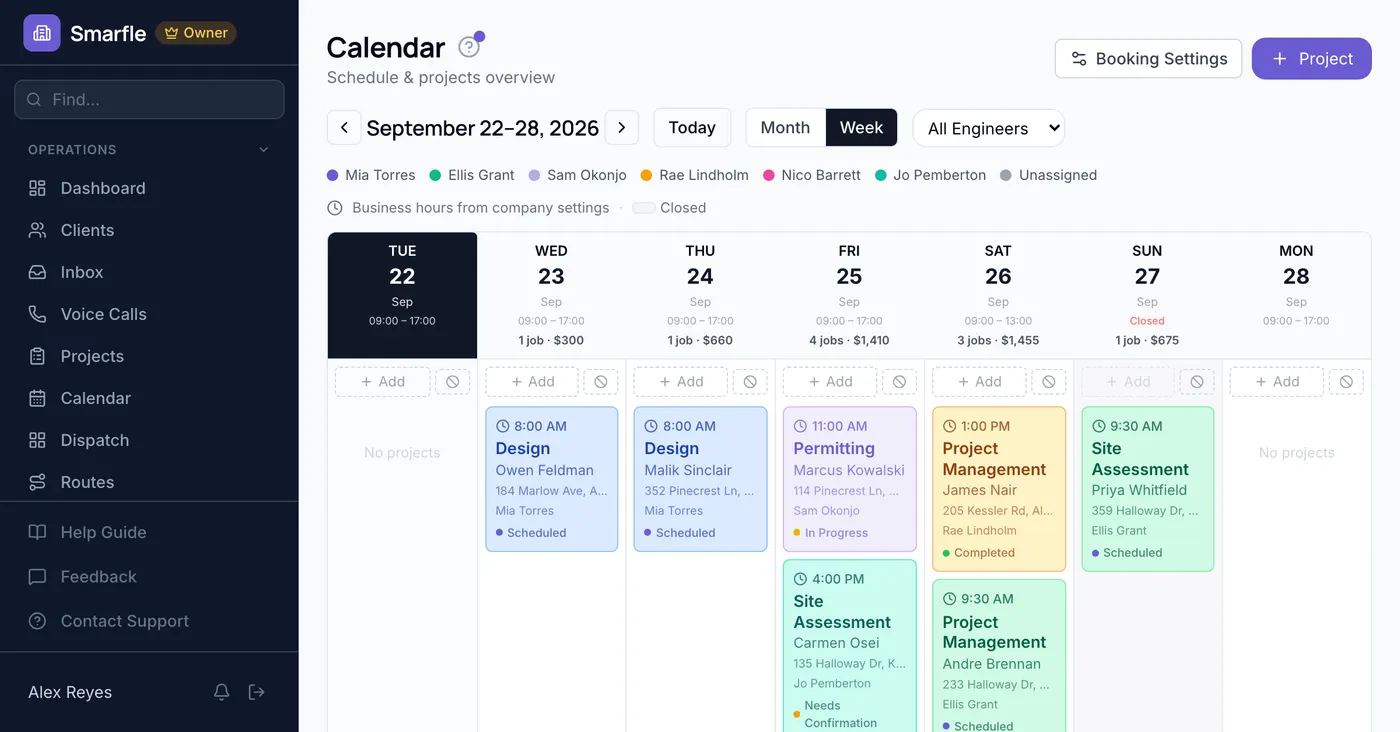
Smarfle is not right for every architecture practice
Phases, approvals, and permits are what this handles. Drafting subcontractors with no client of their own need less.
We built this for you if...
Tap the ones that resonate
This probably isn't for you if...
And that's okay
Everything Smarfle does for an architecture firm
Design is the reason you do this. Running projects, billing phases, and finding the next commission are the business.
Project phase dashboard
See every project with current phase, milestones, team assignments, and next deliverable due. Filter by architect, project type, or phase to focus your attention.
Permit tracking
Log permit submissions, track review periods, document revision requests, and record approvals. Know the status of every permit across all active projects.
Design review workflow
Post design deliverables to the client portal for review. Track client feedback and approvals per phase so every decision is documented.
Team workload view
See assignment distribution across architects, drafters, and coordinators. Balance workload during busy periods and plan capacity for incoming projects.
What an architecture CRM should record
Your project record ends up holding more than the drawing set. It should carry the hours each phase actually took, the steps a permitting job is meant to clear, and the name of whoever sent that client to you. Those three answer questions a drawing never will.
Drawings leave the office, and what stays behind is the record of what each phase actually took.
Permit steps carried by every project
The stages a permitting job has to clear, or a site assessment, get written against that service one time and turn up on each project opened underneath it. Whoever runs the phase marks them off in order, so the studio can tell how far a submission has actually got.
Drawing registers and accounting, updated for you
Practices run a drawing register and a fee accounting package that both sit outside the client record, and any of seven events can be sent to either address. Verification is built into the request through a signature, and a delivery that fails is repeated later instead of lost.
Hours behind a phase fee
Time entries carry minutes and a billable flag, and everyone in the studio has an hourly rate stored against them. When schematic design runs to three times the hours you priced it at, you learn that while the project is open instead of after it closes.
The contractor and the neighbor both ask
A finished house gets asked about by the builder who worked on it and by everybody weighing a project two doors down. Your client carries a code into those conversations, the discount comes off by itself, and your records show whose introduction turned into a commission.
Get more clients for your architecture firm
Architecture lead generation
Single projects can carry the studio for months. Smarfle finds the owners planning work in your area and sends the project type and scope with the request. You spend consultation time on people past the daydreaming stage.
Flat pricing per accepted lead
Architecture leads run about $50 each. You see the job and the ZIP first, then accept or pass free. No monthly lead budget, no bidding wars.
When leads start
We expand the directory around every business that joins, and Google needs time to rank new pages, so plan for up to two months before leads ramp up. You pay per lead, never for waiting. A Google Business Profile with real reviews brings them sooner.
Requests arrive pre-qualified
Every quote request already answers what are you planning and where are you, so your callback quotes instead of interviews.
Fair by design
Your existing customers and repeat requests are always free, and a bad lead can be disputed with a refund to your wallet.
Questions architects ask before they commit
Related industries
Other trades using Smarfle to run their book of business.
Switching to Smarfle from other architecture software?
Drawings out for approval and permits already lodged are why most practices postpone a change like this. One of our people handles it for you instead, turning your client and service records into an import and loading it, then adding each engineer through a personal invitation. They work in the US.
Why businesses stay
Who you are buying from
We answer requests the same day. If your business needs a new feature, or an existing one changed, it gets built fast, often by the next day. Ihor Lavrenenko puts his name on this product: he has helped hundreds of local businesses grow, and Smarfle is how that experience shows up in your operation every morning.
Ready to run your architecture business from one place?
Join service businesses that book more jobs, get paid faster, and grow their reputation with Smarfle.
14 days free · No credit card · Cancel anytime