Law firm CRM software
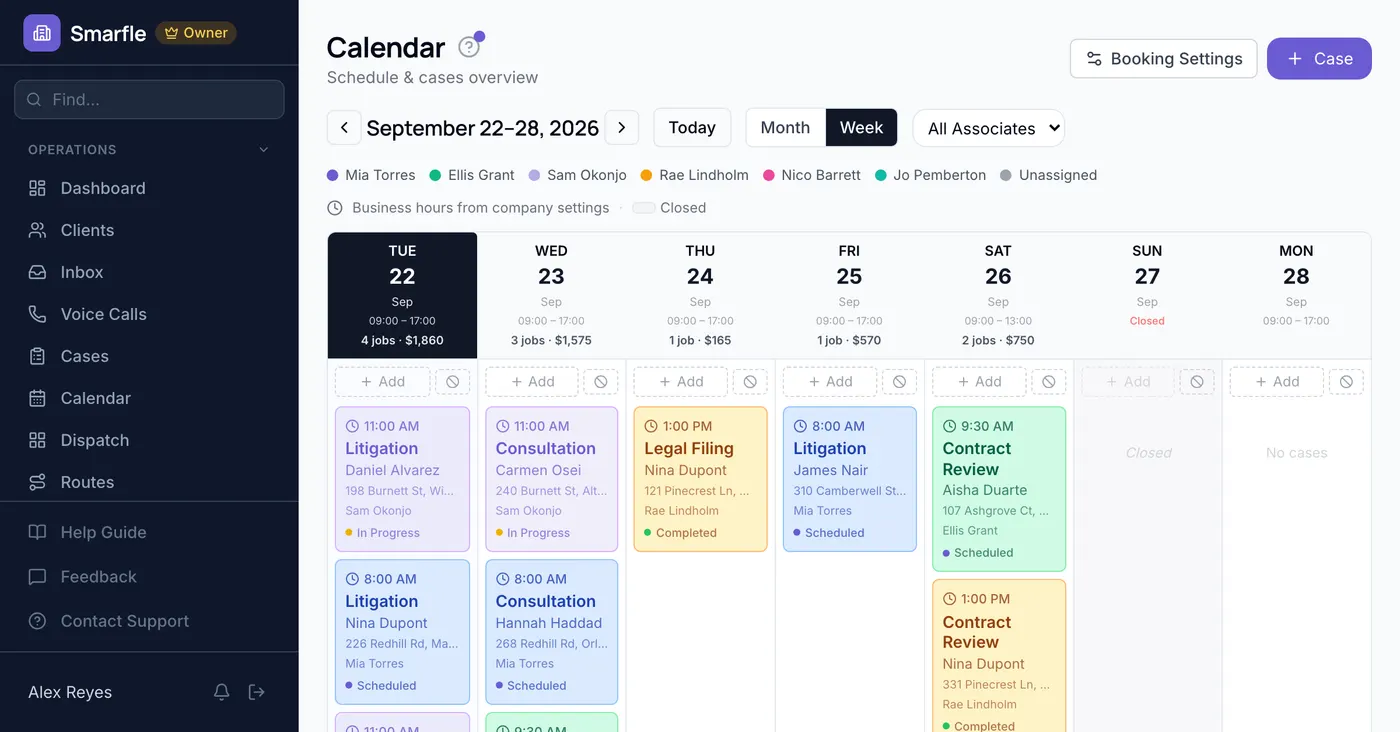
Law firm CRM software where time becomes an invoice instead of a memory. Hours are captured as the work happens. Intake moves through one pipeline and bills go out the week the work was done.
47
132
$38,400
8
Thompson v. Meridian Corp
Commercial Litigation
Rivera Estate Plan
Estate Planning
Chen Property Closing
Real Estate Transaction
Oakmont LLC Formation
Business Formation
Software a law firm runs on
Your inventory is time, and it evaporates when nobody writes it down the same day. Smarfle captures hours as the work happens, moves new intake through one pipeline rather than an inbox, and sends invoices the week the work was done. A solo practitioner and a thirty-attorney firm run it the same way.
Law firm scheduling software
An inquiry that waits two days for a callback has already called somebody else. Smarfle lets them take a consultation from real availability, so the moment a person decides they need a lawyer is the moment you have them in the diary.
Learn moreLaw firm billing software
You have to ask a client for funds on account, and it is a conversation nobody wants twice. Smarfle holds the requirement on the matter with terms attached, so the request belongs to opening the file rather than to an awkward call later.
Learn moreLaw firm invoicing software
You worked the hours and some of them never reached a bill, because the short calls between the visible work are the ones nobody writes down. Smarfle turns time logged against the matter into invoice lines and keeps court fees as disbursements, so your fee is not quietly absorbing costs.
Learn moreThe growth side, built in
Law firm intake tracking
A potential client who reaches voicemail dials the next firm on the list. Call tracking plus instant text-back keeps the intake alive.
Reviews and Google Business Profile
People choose lawyers on reviews more than referrals now. Requests after favorable outcomes build the profile that wins case searches.
Website and lead follow-ups
Case evaluation forms feed intake with matter details, and follow-ups reach the prospects still deciding whether to proceed.
CRM plans that grow with your law firm
All plans include a 14-day free trial. No credit card required.
Solo
Sole operators getting started
- 1 user
- Up to 500 clients
- 1 GB storage
- Public booking link + calendar
- Client management
- Work orders with photos
- Invoices + Stripe payments
- Voice AI receptionist (usage-based)
- AI drafts + work order summaries
- GMB rank tracking + Search Console
- GBP Posts + Dashboard
- API access + webhooks
- Mobile PWA + CSV import/export
Starter
Small teams adding tools and growth
- Up to 5 users (1 owner + 4 techs)
- Up to 2,000 clients
- 3 GB storage
- 2 branch locations
- Everything in Solo
- Website builder + AI content
- Your own domain on that website
- Branded client portal
Professional
Growing service businesses
- Up to 10 users
- Up to 5,000 clients
- 5 branch locations
- 10 GB storage
- Everything in Starter
- Manager role (up to 2)
- 50 saved email templates
Business
Multi-location operations
- Up to 30 users
- Up to 10,000 clients
- 10 branch locations
- 20 GB storage
- Everything in Professional
- Manager role (up to 5)
- Priority support
SMS, email, AI, and voice are billed pay-as-you-go. See full pricing breakdown →
What an inefficient law firm looks like
Every hour a firm fails to capture was still worked. That is the uncomfortable part. It is also why the gap between effort and revenue is usually wider than anyone wants to measure.
Billable hours disappear before they're logged
Attorneys forget to log quick calls, email reviews, and hallway consultations. Those five-minute entries add up to thousands in lost revenue every month. Without a simple system at their fingertips, time slips away permanently.
Client intake creates bottlenecks for new cases
New clients fill out forms, send documents, and leave voicemails. When intake data lives in email inboxes and paper folders, conflicts checks stall, engagement letters go out late, and potential clients move on to another firm.
Invoices go out weeks after work is completed
Partners review time entries at the end of the month, make adjustments, and finally send invoices. By then clients have forgotten the urgency, dispute line items, and payment cycles stretch to 90 days or longer.
Every law firm call, handled your way
Intake calls are logged, transcribed, and attached to the matter before anyone follows up. You decide whether after-hours calls go to text-back or the AI. Screening keeps solicitation off the line entirely.
Plain forwarding
$0.04/min
Just rings your phone. Every call logged as answered or missed.
Forward with call tracking
$0.10/min
Rings your phone. Recorded, transcribed, summarized, and logged to the customer record.
Busy message + text-back
~$0.05/call
Plays your message, hangs up, and texts the caller. Replies land in your Inbox as leads.
AI receptionist
$0.25/min
The AI answers, qualifies the caller, and books the job. Great after hours if you want it.
Spam screening is included in every mode
Turn it on and unknown callers hear one sentence and press a key before the call connects. Dialer software does not press keys, so it never reaches you. How screening works
- Your customers skip it. Known clients and callers on mobile numbers are never screened.
- You are not billed for it. Screened, silent, and blocked calls cost nothing.
- One blocklist. Block a number once and it stops calling and texting.
Curious how the AI option sounds? Call (866) 355-9645 and try booking a consultation with it.
How a legal matter flows through Smarfle
A matter moves from intake through to a settled bill without anyone re-keying it, and the file builds itself as the work happens.
- 1
Intake call captured
After-hours calls are handled by whichever mode you set for those hours and logged with a transcript. Daytime web enquiries land in the same place, and each opens a record with conflict-check fields.
- 2
Consultation booked
Calendar holds the slot. Custom fields capture matter type, opposing party, statute-of-limitation date.
- 3
Retainer signed + matter opened
Engagement letter via e-sign, retainer captured via Stripe payment link, matter becomes a work order with billable-hours tracking.
- 4
Hours + expenses logged
Time tracking per matter against billable hours, expenses logged (filing fees, court costs), client documents attached to the client record.
- 5
Monthly bill + review request
Auto-invoice from billable hours, Stripe payment link, review request after matter closes (workflow automation).
Same flow for every law firm business, only the terminology and details change.
Smarfle is not right for every law firm
Billable time and intake are the dividing line. Both decide whether effort turns into revenue. Pure contingency work with no hourly billing will use less of this.
We built this for you if...
Tap the ones that resonate
This probably isn't for you if...
And that's okay
Everything Smarfle does for a law firm
Practising law is your job. Keeping matters moving, getting hours onto an invoice, and filling intake should not eat your week. These tools take all three.
Matter tracking dashboard
See every open matter with status, assigned team, deadlines, and last activity. Filter by case type, attorney, or priority to focus on what needs attention now.
Client intake workflow
Convert leads into clients and create matters with a structured intake process. Track engagement letters, conflicts checks, and onboarding steps in one place.
Deadline and task management
Set filing deadlines, court dates, and internal tasks per matter. Get alerts before due dates pass and assign responsibilities to specific team members.
Activity log per matter
Every status change, note, and communication is recorded automatically. Pull up the complete history of any case in seconds for internal reviews or client questions.
Client access to the matter
Clients sign in to a login of their own to see where the matter stands, read anything you shared to it, and send a message without ringing the front desk. Each one reaches their own file and nothing else.
How a law firm CRM gets paid
Somebody at the firm is still typing fee proposals into a word processor, printing them for signature, and chasing the deposit by email afterwards. That whole sequence is one record here, running from the quoted line items through the client's signature to the deposit credited against the final bill. What happens after is covered by the reminders and the card on file.
The fee conversation ends when the client signs, and the money should not need a second conversation after that.
Matter fees quoted and countersigned
Each phase of the matter is set out as a priced line and a retainer can sit beside it. Acceptance happens through an electronic signature, the retainer is offset when the bill is raised, and the filed PDF shows who signed at both ends.
Retainers that bill without a reminder
A client's card stays with Stripe under the engagement, and flat fee work is collected when the agreement says instead of when a follow up email goes out. Each completed charge builds its own invoice, which keeps what you collected and what you billed in the same place.
Document requests reach clients early
A deadline carries a reminder that leaves ahead of it by email or text, early enough for the client to act on it. Closing a matter asks you to set the next one before the file goes quiet.
Document and billing systems in the loop
A signed engagement or a settled invoice can push straight through to your document management or trust accounting system, across seven event types. Every delivery carries a signature the receiver can check against you, and it tries again by itself when that system is down.
Get more cases for your law firm
Law firm lead generation
One matter can be worth more than a year of advertising. Smarfle finds the people searching for representation in your practice area and your city, and sends the matter type with the request, so intake is qualifying rather than screening. You accept the ones you want.
Flat pricing per accepted lead
Law Firm leads run about $65 each. You see the job and the ZIP first, then accept or pass free. No monthly lead budget, no bidding wars.
When leads start
We expand the directory around every business that joins, and Google needs time to rank new pages, so plan for up to two months before leads ramp up. You pay per lead, never for waiting. A Google Business Profile with real reviews brings them sooner.
Requests arrive pre-qualified
Every quote request already answers what do you need help with and where are you with this, so your callback quotes instead of interviews.
Fair by design
Your existing customers and repeat requests are always free, and a bad lead can be disputed with a refund to your wallet.
What law firms ask before they switch
Related industries
Other trades using Smarfle to run their book of business.
Accounting CRM
Professional-services firm billing by matter and retainer. Same client-intake and trust workflow.
ExploreConsulting CRM
Project and retainer work with a client portal and recurring invoices.
ExploreFinancial advisor CRM
Client-trust relationships with documents, retainers, and long engagement cycles.
ExploreSwitching to Smarfle from another law firm CRM?
Matters part heard and deadlines already docketed make a switch feel reckless. That is why one of our people carries it out rather than pointing you at documentation, moving your clients and the services you bill across by CSV and inviting associates singly. Everyone involved works in the US.
Why businesses stay
Who you are buying from
We answer requests the same day. If your business needs a new feature, or an existing one changed, it gets built fast, often by the next day. Ihor Lavrenenko puts his name on this product: he has helped hundreds of local businesses grow, and Smarfle is how that experience shows up in your operation every morning.
Ready to run your law firm business from one place?
Join service businesses that book more jobs, get paid faster, and grow their reputation with Smarfle.
14 days free · No credit card · Cancel anytime