Updated
Catering CRM software
Catering CRM software for a quote that keeps moving until the week of the event. Pricing follows the headcount, dietary requests reach the kitchen crew, and staff and equipment cost shows against the job.
12
8
$78k
$4.2k
Tech Co Lunch
Corporate plated 80
Anderson Wedding
Plated dinner 200
Garcia Birthday
Buffet 50
Foundation Gala
Cocktail + plated 300
Catering software for scheduling, proposals and invoicing
Your proposals move with the headcount and your crews follow the events. This catering management software keeps each event's quote, crew and deposit together before the date.
Catering scheduling software
Tastings and events share one calendar, and clients get a reminder before each tasting or site walk.
Catering dispatch software
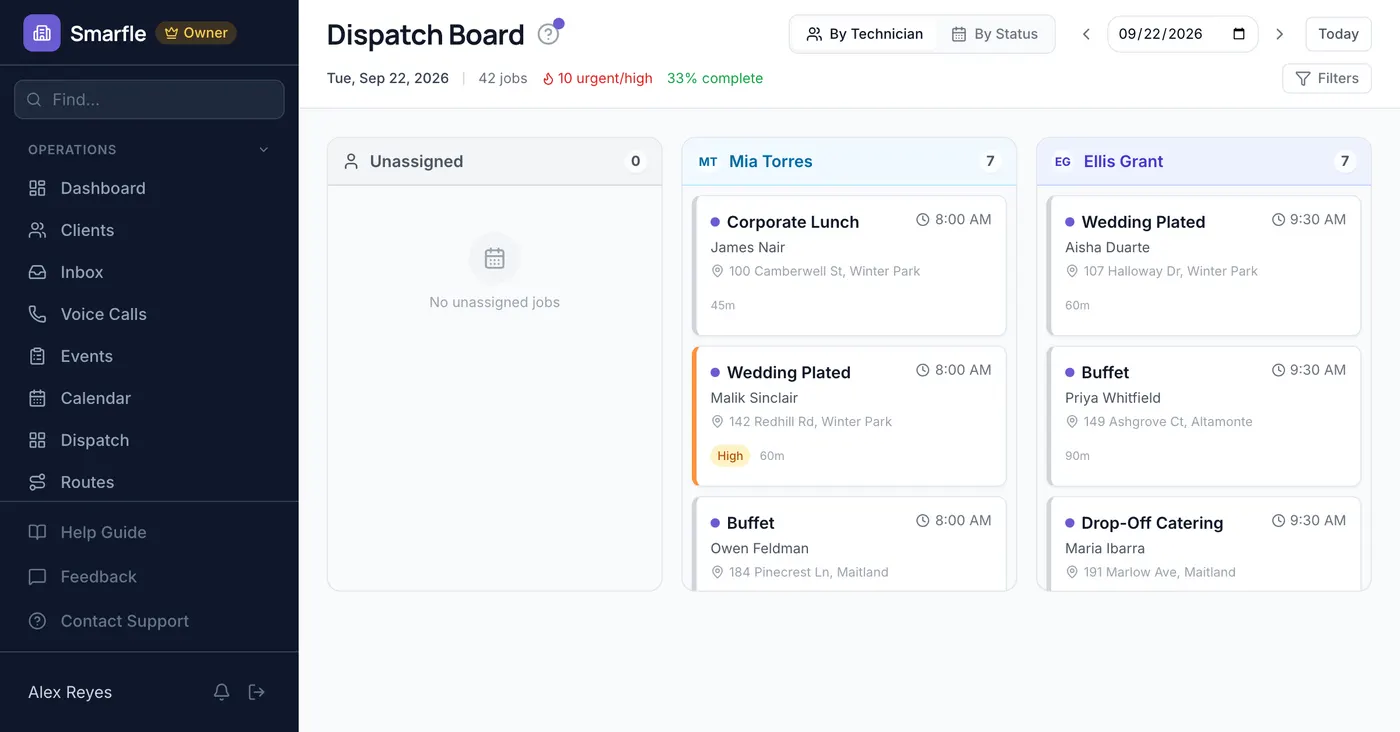
Each crew member sees the events they are booked on, in order in the catering app, with the venue address and notes.
Catering billing software
Corporate clients with standing lunch orders pay from a saved card on their cycle, each charge with an invoice.
Catering invoicing software
The final invoice builds from the event lines with the deposit credited, and the client pays by card from a payment link, or by bank on corporate work.
Calls, reviews and your catering website in one account
Catering call tracking
Event inquiries call several caterers. Each call is logged with its source, and missed ones get a text at once.
Reviews and Google Business Profile
After each event the client is invited to review you, and planners shortlist caterers from exactly those reviews.
Website and lead follow-ups
Event inquiries from your website carry the date and headcount, and proposals still awaiting a signature get chased politely.
Catering CRM plans that grow with your event crews
All plans include a 14-day free trial. No credit card required.
Starter
Small teams adding tools and growth
- Up to 5 users (1 owner + 4 techs)
- Up to 2,000 clients
Professional
Growing service businesses
- Up to 10 users
- Up to 5,000 clients
SMS, email, AI, and voice are billed pay-as-you-go. See every plan and usage rate →
Three catering problems Smarfle fixes
Headcount changes that break the proposal
Revise the estimate when the count moves, and the client signs the new version on their phone with the deposit already counted.
Dietary requests lost before the kitchen
Standing dietary needs, service style and dock notes go in custom fields on the client, readable by every crew member.
Staff and rental costs you cannot see
Rentals, staff hours and supplies post to each event beside the invoice, so the margin shows before the next proposal.
Four ways to answer catering calls
Choose how the number answers during service. Calls you cannot take go to a text-back or the AI receptionist, and each one is saved to the client.
Plain forwarding
$0.04/min
Rings your phone, and every call is logged as answered or missed.
Forward with call tracking
$0.10/min
Rings your phone; calls are recorded, transcribed and saved to the customer.
Busy message and text-back
~$0.05/call
Plays your message, then texts the caller. Replies land in your Inbox.
AI receptionist
$0.25/min
The AI answers, qualifies the caller and books the job, day or night.
Spam screening comes with every mode. Unknown callers press a key before the call connects, and screened calls cost nothing. How spam screening works
Curious how the AI option sounds? Call (866) 355-9645 and try booking a consultation with it.
Catering companies Smarfle fits
Off-premise caterers with event crews and repeat corporate clients.
A good fit if
Probably not a fit if
Everything in this catering business software
Contracts and venue paperwork on file
Upload contracts, venue rules and floor plans to the client's private folder, and share one file when the venue asks.
An event client's own link
One link shows the client their estimates, invoices and receipts, and they pay the balance from it after the event.
Chafers and linens on a count
Equipment and disposables carry a quantity that drops when they go onto an event, with a low-stock list for ordering.
What your catering CRM should remember
Catering lives on details that change until the last week. Event checklists, count and balance reminders, saved emails and corporate texts keep up with them.
Load-in to breakdown, in order
Save the load-in, setup, service and breakdown steps on the service, so every event opens with the checklist.
Final counts and balances, on time
Set a reminder for the final count and balance due date, and Smarfle emails and texts the client before it.
Quote chasers without retyping
Save the proposal follow-up and thank-you emails as templates with merge fields, and send one from the client in two taps.
Corporate lunch offers by text
Filter corporate clients by tag, preview the list, and send one text offering next month's lunch menu.
Get more bookings for your catering business
Catering lead generation
Corporate accounts that rebook quarterly are the best customers you will ever have. Smarfle finds the people planning events near you and sends the headcount and the date with the request, so you price it without a discovery call.
Flat pricing per accepted lead
Catering leads run about $25 each. You see the job and ZIP first, then accept or pass free, with no lead budget or bidding.
When leads start
Google needs time to rank the pages we add around you, so plan for up to two months. You pay per lead, never for waiting.
Requests arrive pre-qualified
Each request comes with the customer's answers to “What is the occasion?” and “How many guests?”, so your callback quotes the job instead of interviewing.
Fair by design
Your existing customers and repeat requests are always free, and a bad lead can be disputed for a wallet refund.
Questions caterers raise before choosing catering software
More catering software features
Related industries
Other field service businesses with a similar workflow. See CRM for field service
Event planning CRM
Planners who book caterers and track vendor deposits.
Cleaning services CRM
Post-event cleanup crews booked on the same dates.
Moving services CRM
Crews, trucks and fixed dates on every job.
Switching to Smarfle from other catering software?
Your clients, menu items as services and past events are imported for you, then every crew member gets a login.
- Comes across
- Customers, services with prices, past jobs with their dates and prices, and products in stock.
- Set up fresh
- Recurring plans and saved cards, since card numbers never move between systems.
- Stays in your old system
- Past invoices, so export them as a file before you cancel.
Why businesses stay
Who you are buying from
Ihor Lavrenenko, founder of Smarfle and author of Rank, Ring, Repeat, a local SEO guide for business owners, puts his name on this product after helping hundreds of local businesses grow. Ask for a feature or a change and it is often built by the next day.
Try Smarfle free for 14 days
No credit card. Import your clients and book the next tasting today.
14 days free · No credit card · Cancel anytime