Restoration scheduling software
Restoration scheduling software for jobs that start with a 2 a.m. call. The water loss is booked during that first phone call, daily moisture checks are booked for the drying days, and the adjuster's visit and the rebuild crew follow on the same file.
14 days free · No credit card · Built in Florida
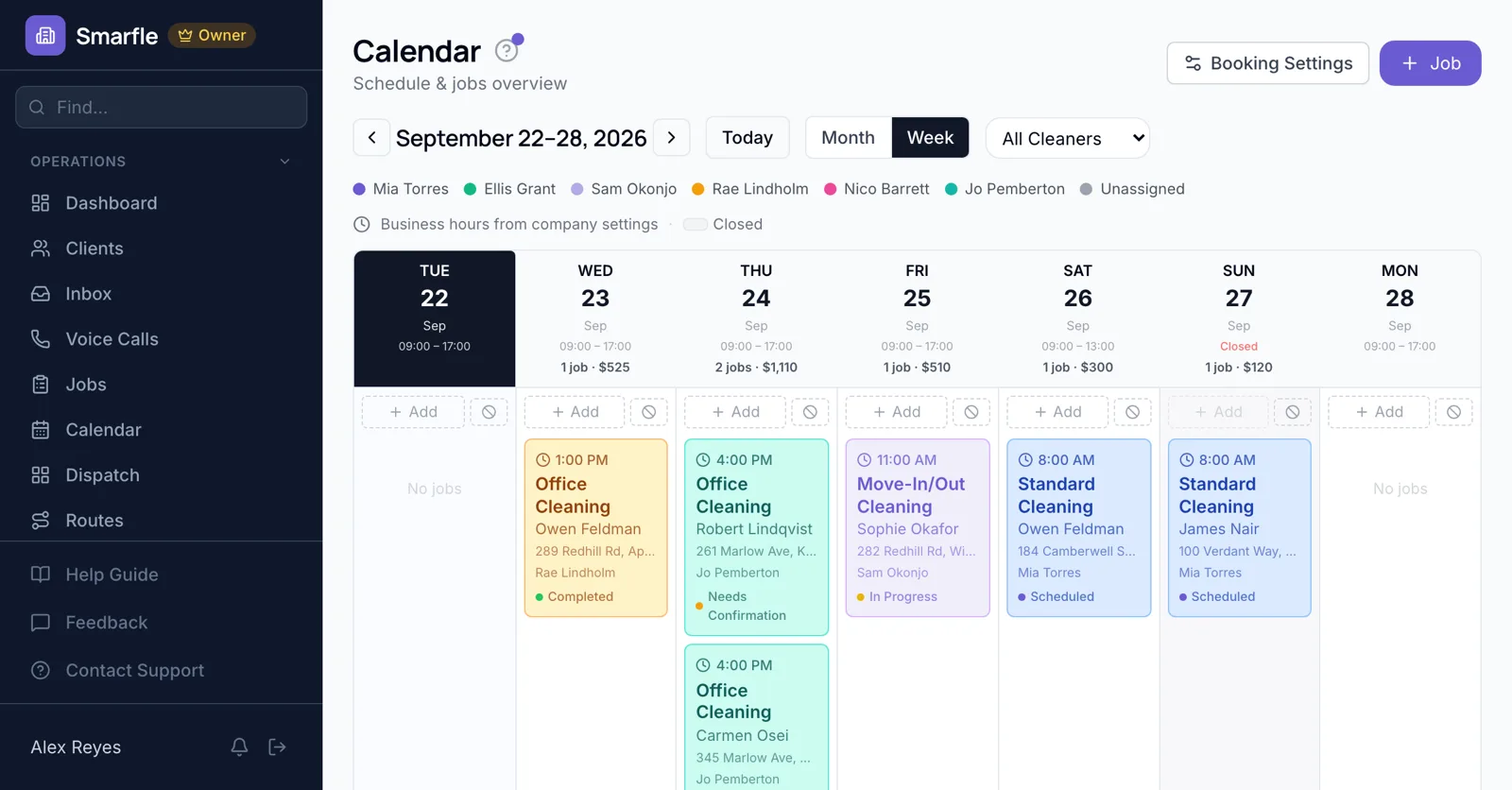
The emergency call
Overnight, the AI receptionist picks up, gets the address, the source of water and whether it is still running, and flags it for the on-call technician, while you add the visit to the calendar.
AI receptionistDaily moisture checks
Drying takes three to five days. Book a short check each day on the same file, and the technician logs readings until the materials are dry.
Calendar schedulingAdjuster appointments
When the carrier sends an adjuster, add the meeting to the project manager's calendar beside the claim file.
Job managementFrom mitigation to rebuild
Once drywall and flooring are approved, the signed rebuild estimate becomes scheduled work days for the rebuild crew.
Estimates and e-signaturesHomeowners told every step
Each scheduled check and rebuild day sends reminders, and moving any of them tells the homeowner the new time.
Automatic textsRestoration scheduling features
What it does
- After-hours call captureAI receptionist
- Daily drying check visitsSame file each day
- Adjuster meetings scheduledClaim details on the job
- Rebuild days from signed estimatesCrew assigned
What it doesn't do
- On-call rotation managementTrack rotations yourself
- Equipment pickup schedulingBook a pickup visit
- Carrier portal appointment syncEnter meetings yourself
- Emergency dispatch by distanceChoose the technician
Smarfle vs ServiceTitan for restoration
| Smarfle | ServiceTitan | |
|---|---|---|
| Entry plan | Solo $19, 1 user | From around $398 per user |
| Mid plan | Starter $99, 5 users | Quoted, plus modules |
| Job scheduling and dispatch | Yes | Yes |
| Prices published on the website | Yes | No |
| Answers your phone without a paid add-on | Yes | No |
Restoration scheduling pricing
Emergency booking, drying checks and rebuild scheduling are on every plan; receptionist minutes cost 25 cents.
Starter
Small teams adding tools and growth
- Up to 5 users (1 owner + 4 techs)
- Up to 2,000 clients
Professional
Growing service businesses
- Up to 10 users
- Up to 5,000 clients
SMS, email, AI, and voice are billed pay-as-you-go. See every plan and usage rate →
Restoration scheduling questions
Try restoration scheduling software free
14 days with every feature on your real restoration work. No credit card.
Start Free Trial