Remodeling scheduling software
Remodeling scheduling software for kitchens and baths that run for weeks. Homeowners book a design consultation online, each stage from demolition to tile sits on the responsible crew lead's days, and when cabinets arrive late, moving the install tells the homeowner without a phone tag.
14 days free · No credit card · Built in Florida
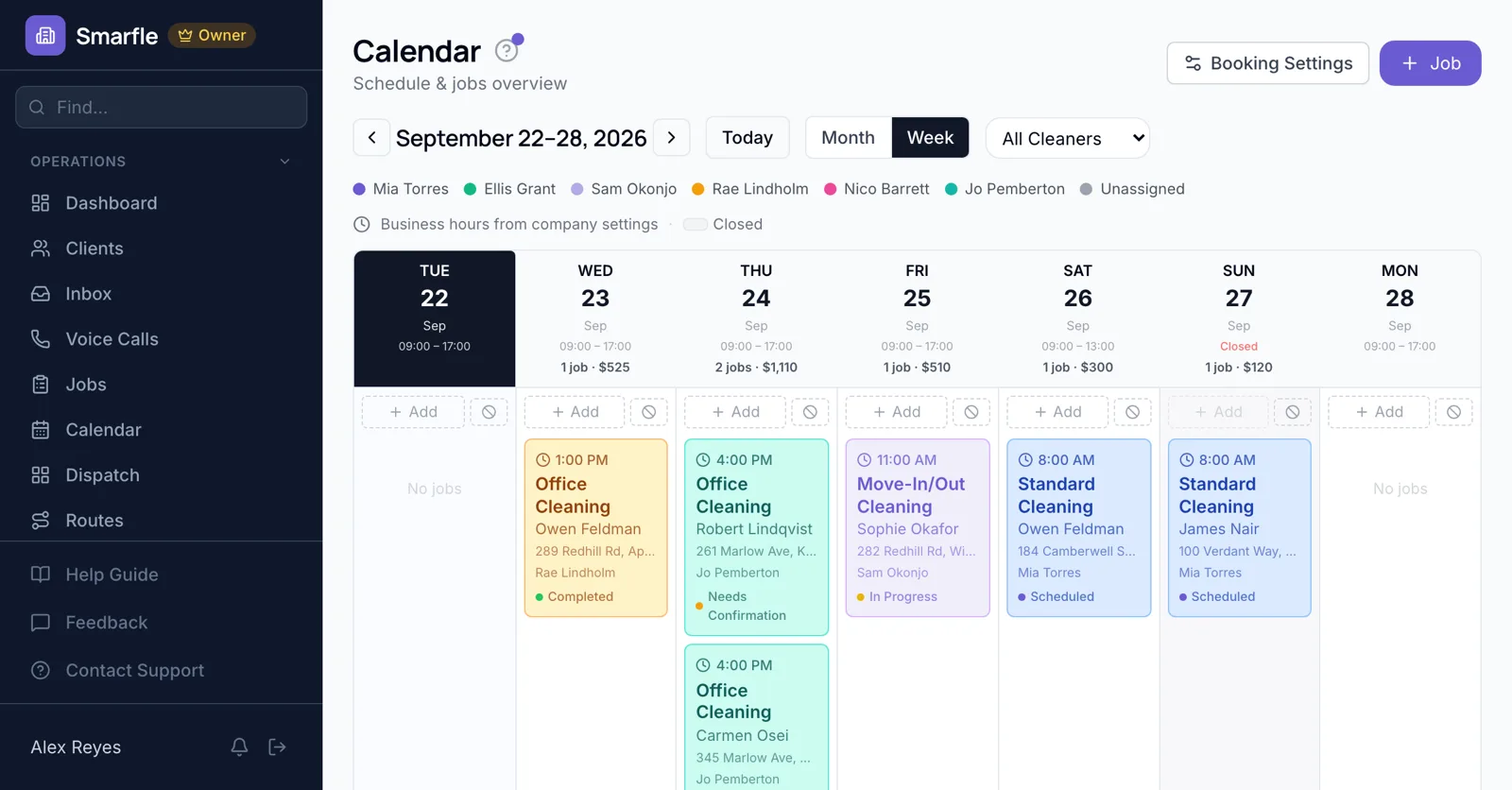
Design consultations online
With consultation mode on, a design visit is requested online along with photos of the current kitchen. Budget range and timeline questions arrive with the request.
Online bookingStages as dated work
Demo, rough plumbing, drywall, cabinets and tile are each booked on the days they happen for the crew lead in charge, so the calendar shows when the next kitchen can start.
Calendar schedulingLate deliveries
When the cabinet shipment slips a week, drag the install and the countertop template. The homeowner gets the new dates, and the crew lead sees them on their phone.
Job managementPunch list visit
The final walkthrough is its own appointment with a punch list checklist, so small fixes are scheduled instead of remembered.
Job checklistsCrew lead vacations
A crew lead's approved leave appears when you assign the next project, so a two-week bath is not booked across their trip.
Team managementRemodeling scheduling features
What it does
- Design consultations booked onlineConsultation mode
- Stages as dated jobsPer crew lead
- Homeowner date change noticesText or email
- Punch list appointmentsWith a checklist
What it doesn't do
- Project timeline viewUse the calendar weeks
- Subcontractor calendarsShare dates by text
- Supplier delivery trackingNote dates on the job
- Selections deadlinesAdd follow-up tasks
Smarfle vs Housecall Pro for remodelers
| Smarfle | Housecall Pro | |
|---|---|---|
| Entry plan | Solo $19, 1 user | Basic $79, 1 user |
| Mid plan | Starter $99, 5 users | Essentials $189, 5 users |
| Job scheduling and dispatch | Yes | Yes |
| Unlimited users on one plan | No | No |
| Answers your phone without a paid add-on | Yes | No |
Remodeling scheduling pricing
Consultation booking, stage scheduling and checklists come with all plans; ten users fit on Professional at $199.
Starter
Small teams adding tools and growth
- Up to 5 users (1 owner + 4 techs)
- Up to 2,000 clients
Professional
Growing service businesses
- Up to 10 users
- Up to 5,000 clients
SMS, email, AI, and voice are billed pay-as-you-go. See every plan and usage rate →
Remodeling scheduling questions
More remodeling software
Scheduling for builders and trades
Try remodeling scheduling software free
14 days with every feature on your real remodeling work. No credit card.
Start Free Trial