Restoration dispatch software
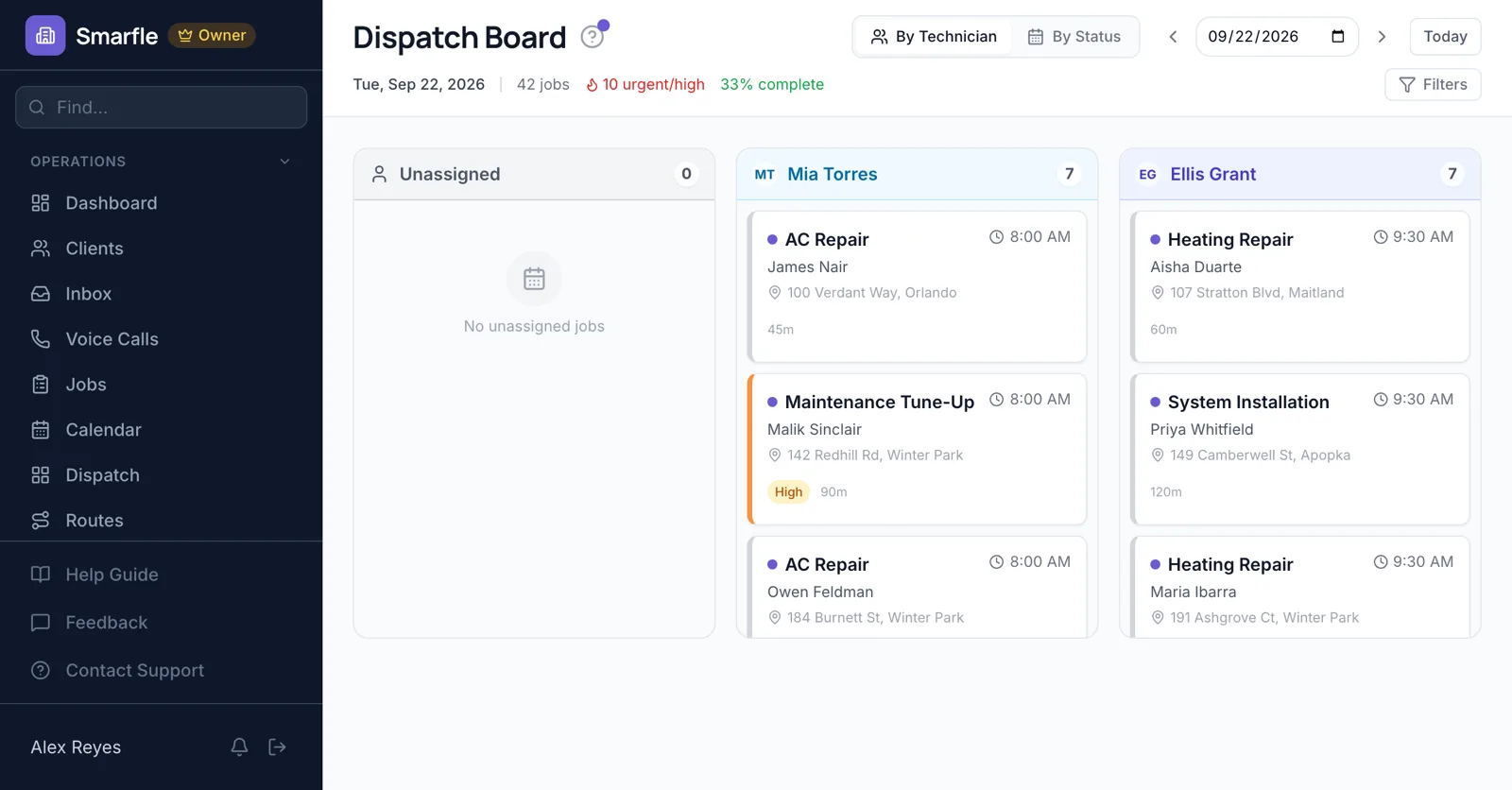
Restoration dispatch software for companies that take flooded basements at 2 a.m. Mark the loss urgent and drop it on the on-call technician, keep mold and smoke work with people tagged for those certifications, and route the next week of drying checks so one tech covers several homes.
14 days free · No credit card · Built in Florida
The 2 a.m. call
The AI receptionist answers after hours and asks for the address, the kind of damage and how bad it is. You approve the request, mark it urgent and assign whoever is on call.
AI receptionistIICRC skill tags
Tag technicians with water, mold or fire and smoke certifications, and mark remediation services as needing them, so you are warned before an untrained tech is assigned.
Team and skillsDrying check routes
Each daily moisture check is its own visit. Build Route strings the open losses into one drive so a technician reads meters at five homes before noon.
Route optimizationReadings and damage photos
Techs photograph the meter, the wet drywall and the equipment placed, and the pictures stay on the job for the adjuster file.
Photo uploadsClaim details on the customer
Add claim number, carrier and adjuster as custom fields, so whoever is sent to the house has the insurance details with the address.
Custom fieldsRestoration dispatch features
What it does
- Urgent priority on new lossesSet by the office
- Certification skill tagsWarning on mismatch
- Routed drying checksBuild Route
- Moisture and damage photosKept on the job
What it doesn't do
- Drying equipment by locationNote it on the job
- On-call rotationAssign by hand
- Whole crew on one lossOne job per tech
- Live truck trackingStatus taps instead
Smarfle vs ServiceTitan for restoration
| Smarfle | ServiceTitan | |
|---|---|---|
| Entry plan | Solo $19, 1 user | From around $398 per user |
| Mid plan | Starter $99, 5 users | Quoted, plus modules |
| Job scheduling and dispatch | Yes | Yes |
| Prices published on the website | Yes | No |
| Answers your phone without a paid add-on | Yes | No |
Restoration dispatch pricing
No plan leaves out certification tags or drying routes; the after-hours receptionist bills 25 cents a minute.
Starter
Small teams adding tools and growth
- Up to 5 users (1 owner + 4 techs)
- Up to 2,000 clients
Professional
Growing service businesses
- Up to 10 users
- Up to 5,000 clients
SMS, email, AI, and voice are billed pay-as-you-go. See every plan and usage rate →
Restoration dispatch questions
Try restoration dispatch free
14 days with every feature on your real restoration work. No credit card.
Start Free Trial