Crew dispatch for roofers
Roofing dispatch software
Roofing dispatch software that puts every crew's day on one board. Assign projects, move them when the weather turns, and see each roof's status from the crew lead's phone.
A short tour of the screens this page describes. It is filmed with our demo pest control company, and every trade runs on the same screens.
- From $19/month
- 14-day free trial
- Same-day US support

“We run every customer conversation through Smarfle. Texts, emails and reminders are in one place, our customers love paying with Apple Pay, and when we are busy or closed the text bot answers new leads for us.”
Get the roofing app


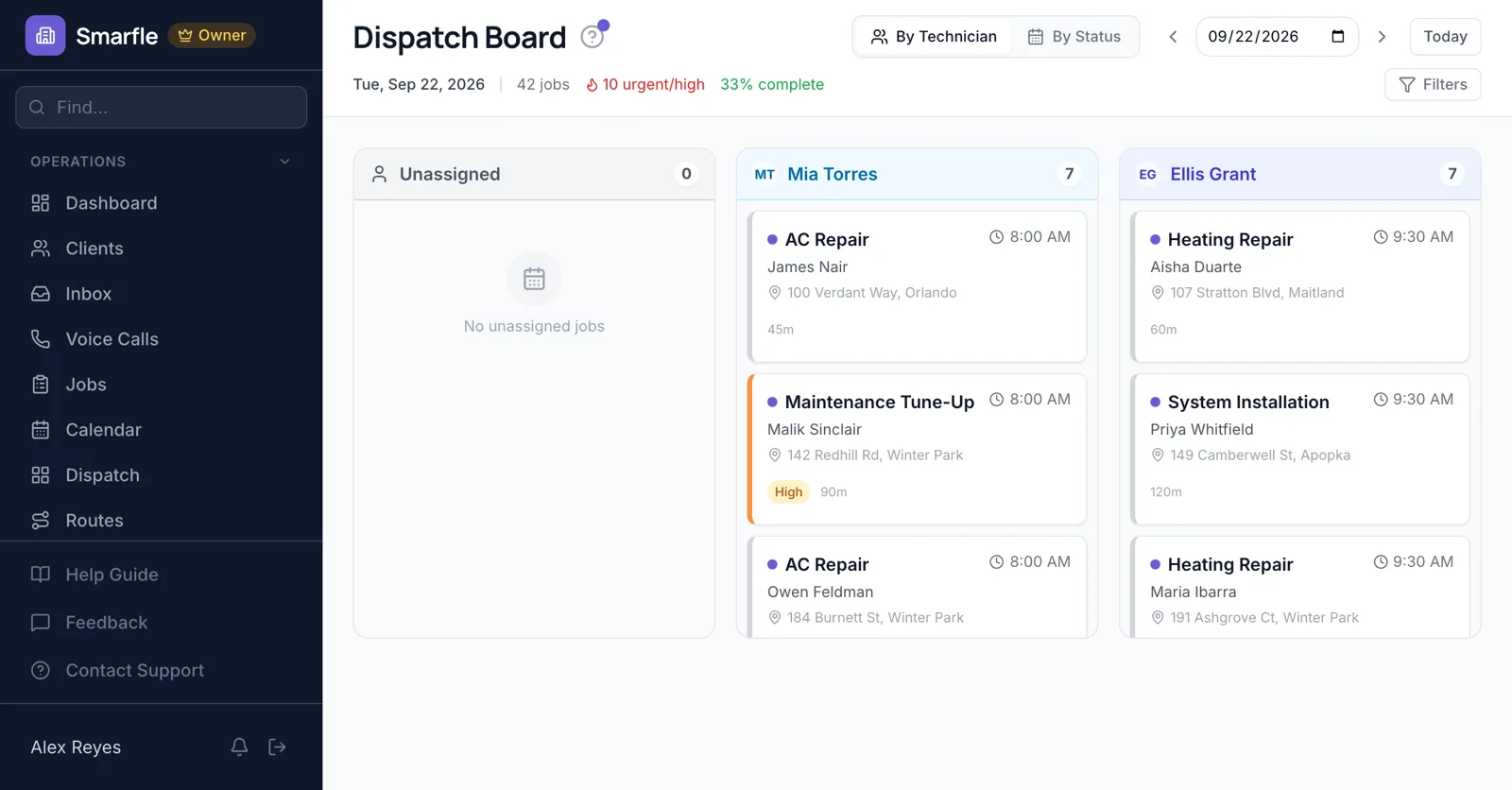
The roofing dispatch board
Each crew lead has a column of the day's projects, and an Unassigned column holds anything booked without a crew. Drag a card to another column to reassign it, or switch to the status view to see what is scheduled, under way and finished.
Dispatch boardAssigning roofing crews
A crew is dispatched through its crew lead's login, so the lead gets the address, the scope and the photos on a phone, with no prices. Services can require a skill, such as metal roofing, and the job form flags anyone who lacks it.
Approved time off keeps a crew lead out of automatic assignment, and giving them a project on a day off shows a warning first.
Team logins and rolesRoutes and the job map
The routes page plots each crew's stops on a map in driving order with the drive time between them. Build Route places waiting projects into open crew time by distance and working hours, and you can text a crew lead the day's route.
Route optimizationRescheduling for weather
When rain moves a tear-off, drag the project to another day on the calendar. The homeowner and the crew lead are both told the new date, so nobody shows up to a wet roof.
Calendar schedulingProject status from the roof
Crew leads tap On my way, Arrived, Start and Complete as the day goes, add photos of the deck and the finished roof, and take the homeowner's signature at the end. If the signal drops up there, status changes, notes and photos wait on the phone and send when it returns.
Mobile app for the fieldRoofing dispatch software features
What it does
- Dispatch board with drag and dropBy crew lead or by status
- Job map, routes and route builderDriving order, open crew time filled
- New date sent to homeowner and crewWhenever a project moves
- Photos, notes and signature on the phoneQueued when the signal drops
What it doesn't do
- Projects spanning several daysA project has one date; book each day
- Assigning each roofer separatelyOne crew lead per project
- Live GPS tracking of trucksStatus comes from what the crew taps
- Weather alertsYou move projects yourself
Smarfle vs Jobber for roofing
| Smarfle | Jobber | |
|---|---|---|
| Entry plan | Solo $19, 1 user | Core $49, 1 user |
| Mid plan | Starter $99, 5 users | Connect $139, 1 user |
| Equipment or unit records per customer | Yes | Limited |
| Guided onboarding with an implementation contact | No | Yes |
| Answers your phone without a paid add-on | Yes | No |
Roofing dispatch pricing
Every plan includes the dispatch board, the map and routes. Each crew lead needs a login, so two or three crews usually start on Starter. A texted route costs 3 cents.
Starter
Small teams adding tools and growth
$99/mo
- Up to 5 users (1 owner + 4 techs)
- Up to 2,000 clients
Most Popular
Professional
Growing service businesses
$199/mo
- Up to 10 users
- Up to 5,000 clients
SMS, email, AI, and voice are billed pay-as-you-go. See every plan and usage rate →
What roofers ask about crew dispatch
Can crew leads see their projects on a phone?
Does it track where my trucks are?
Can one roof take several days?
Can I give crews a checklist?
How many crews can I dispatch?
Do storm leads from my website reach the board?
Can I send roof photos to an insurance adjuster?
Can the office see which crew is running behind?
Try roofing dispatch software free
14 days with every feature on your real roofing work. No credit card.