Remodeling dispatch software
Remodeling dispatch software for companies running a kitchen, two baths and a basement at once. Every crew lead has a column for the day, each phase is booked as its own job, and tile or cabinet work stays with the people tagged for it.
14 days free · No credit card · Built in Florida
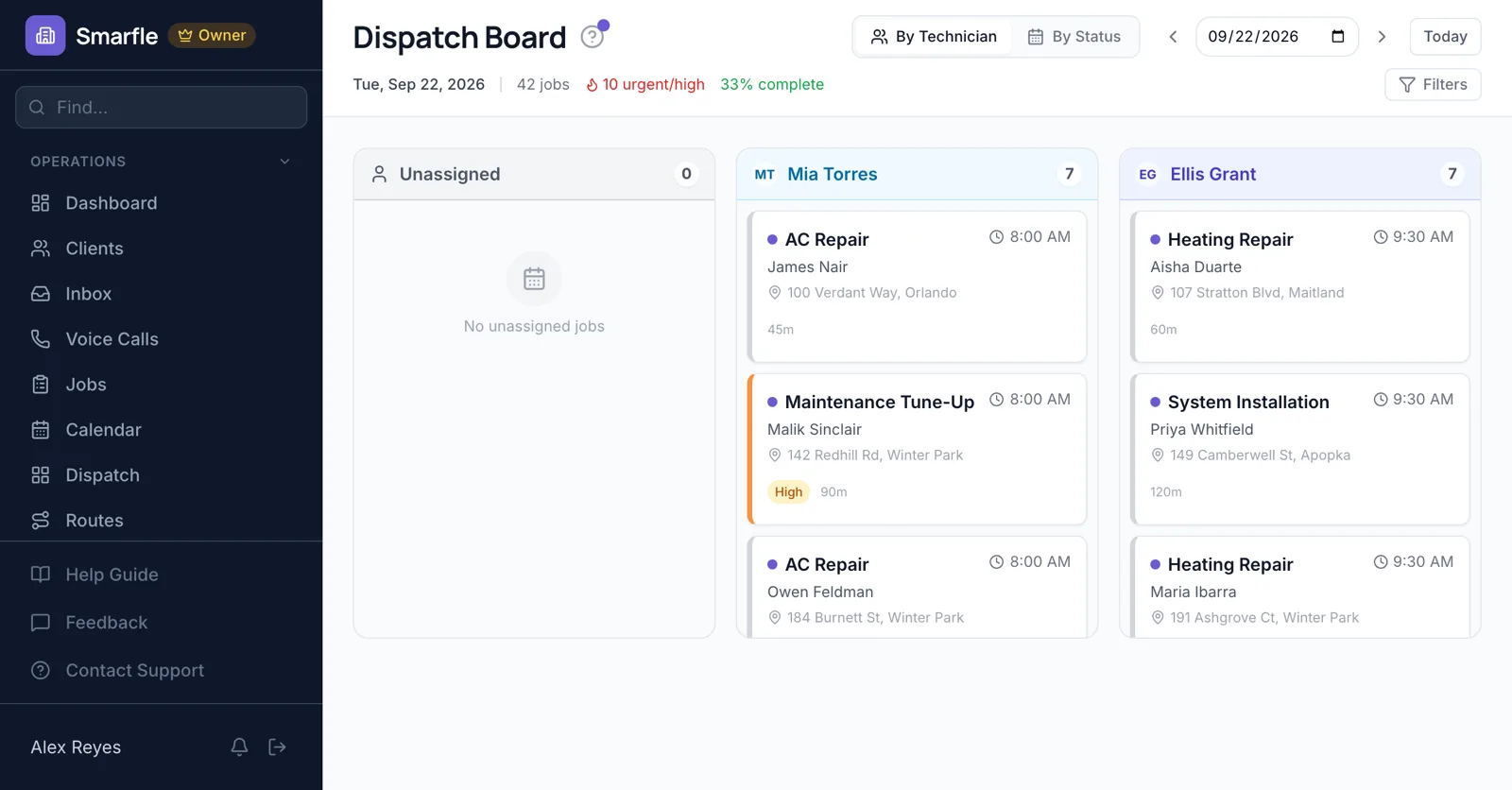
Phases as jobs
Demo, rough-in, drywall and cabinets each go on the calendar as a job on the days they happen, so a slipped inspection moves one phase.
Calendar schedulingWho is on which project
The board shows every crew lead's project today. When a countertop template is delayed, drag that lead onto the bath that is ready for tile.
Dispatch boardTile and cabinet skills
Tag leads for tile, finish carpentry or cabinet installs, and require those tags on the matching phases.
Team and skillsEstimate visit routes
Sales visits for new kitchens are put in drive order, so an estimator sees four homeowners in an afternoon.
Route optimizationProgress from site
Crew leads post photos of open walls and finished tile, and the office answers homeowner questions without driving over.
Photo uploadsRemodeling dispatch features
What it does
- Crew lead board by dayDrag to switch projects
- Phases on the calendarA job per phase
- Trade skill tagsTile, cabinets, carpentry
- Routed estimate visitsDrive order
What it doesn't do
- Gantt project timelinePhases as jobs
- Subcontractor schedulingSubs are not users
- Two crews on one phaseOne lead per job
- Live crew locationStatus updates instead
Smarfle vs Housecall Pro for remodelers
| Smarfle | Housecall Pro | |
|---|---|---|
| Entry plan | Solo $19, 1 user | Basic $79, 1 user |
| Mid plan | Starter $99, 5 users | Essentials $189, 5 users |
| Job scheduling and dispatch | Yes | Yes |
| Unlimited users on one plan | No | No |
| Answers your phone without a paid add-on | Yes | No |
Remodeling dispatch pricing
Crew leads use their own login, and all plans include the board, skill tags and estimate routes.
Starter
Small teams adding tools and growth
- Up to 5 users (1 owner + 4 techs)
- Up to 2,000 clients
Professional
Growing service businesses
- Up to 10 users
- Up to 5,000 clients
SMS, email, AI, and voice are billed pay-as-you-go. See every plan and usage rate →
Remodeling dispatch questions
Try remodeling dispatch free
14 days with every feature on your real remodeling work. No credit card.
Start Free Trial