Home builder dispatch software
Home builder dispatch software for builders whose project managers spend the day driving between lots. Site visits are put in drive order, pre-drywall and final walkthroughs go on the calendar with the buyer, and warranty calls reach a technician who sees the water heater's warranty date before leaving.
14 days free · No credit card · Built in Florida
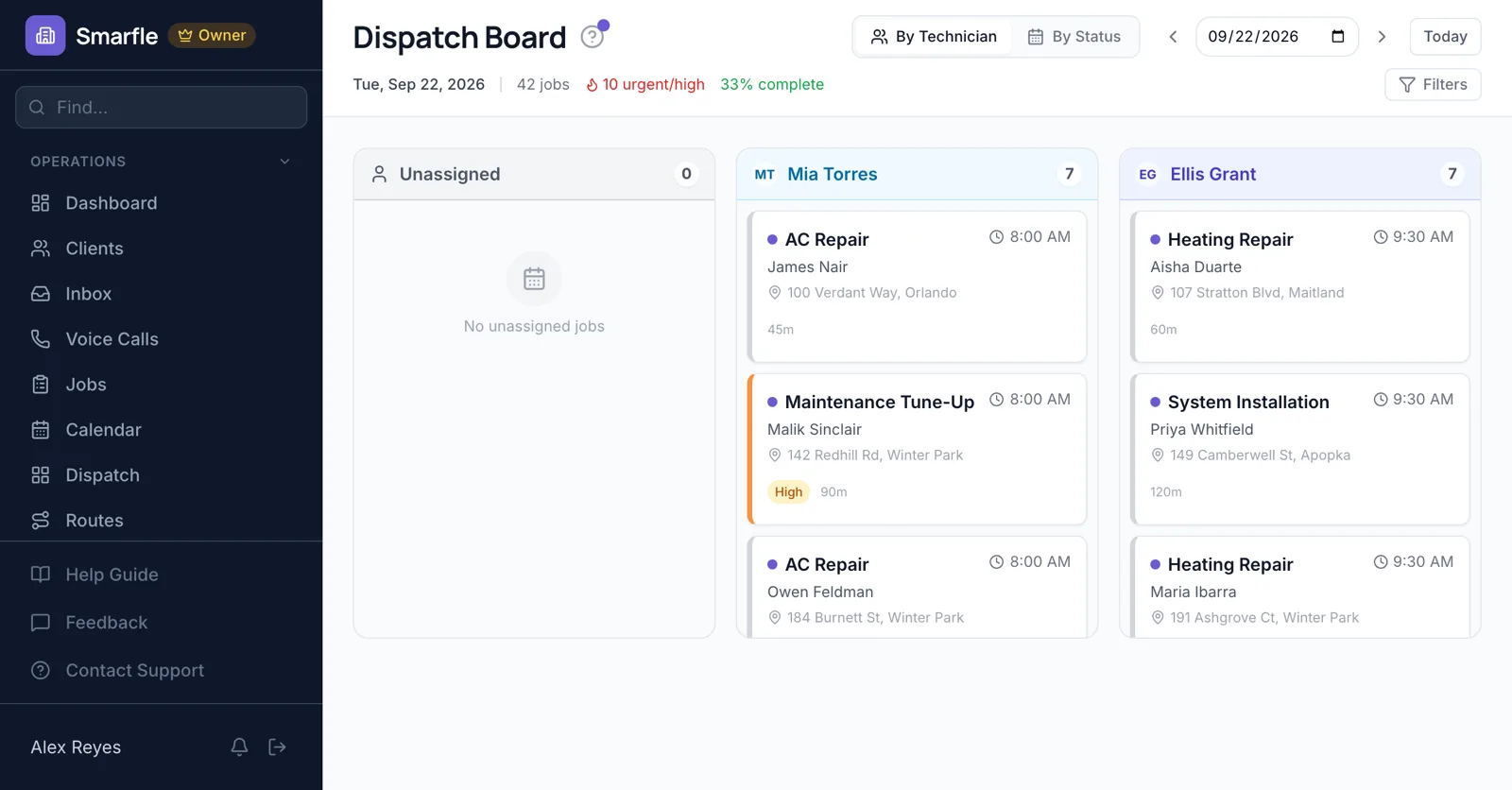
Lots in drive order
A project manager with six builds across two subdivisions gets their inspections and check-ins mapped in the shortest order.
Route optimizationBuyer walkthroughs
Pre-drywall, orientation and final walkthroughs are jobs with the buyer as the customer, so they get reminders the day before.
Calendar schedulingWarranty service queue
Callbacks from buyers wait in Unassigned. Drag a sticking door or a nail pop to the warranty technician with room that day.
Dispatch boardWarranty dates per home
Record the furnace, water heater and roof with install and warranty dates. A call linked to one shows whether it is still covered.
Customer recordsNotes from the lot
Superintendents photograph framing or a punch item and leave notes for the office on the build.
Photo uploadsHome builder dispatch features
What it does
- Routed site visitsShortest drive order
- Walkthroughs with remindersBuyer texted
- Warranty call boardUnassigned queue
- Warranty dates on the jobPer installed item
What it doesn't do
- Construction scheduleUse your build tool
- Trade partner dispatchPartners are not users
- Lot and phase trackingNote it on the build
- Live superintendent locationStatus taps instead
Home builder dispatch pricing
Routes, warranty records and the board come with each plan; pick one by how many users log in.
Starter
Small teams adding tools and growth
- Up to 5 users (1 owner + 4 techs)
- Up to 2,000 clients
Professional
Growing service businesses
- Up to 10 users
- Up to 5,000 clients
SMS, email, AI, and voice are billed pay-as-you-go. See every plan and usage rate →
Home builder dispatch questions
Try home builder dispatch free
14 days with every feature on your real home builder work. No credit card.
Start Free Trial