Recurring billing for lawn care
Landscaping & lawn care billing software
Landscaping and lawn care billing software for mowing contracts and seasonal work. Bill a flat monthly plan or every visit, charge the card on file automatically, and see which customers are behind before the season ends.
A short tour of the screens this page describes. It is filmed with our demo pest control company, and every trade runs on the same screens.
- From $19/month
- 14-day free trial
- Same-day US support

“We run every customer conversation through Smarfle. Texts, emails and reminders are in one place, our customers love paying with Apple Pay, and when we are busy or closed the text bot answers new leads for us.”
Get the landscaping & lawn care app


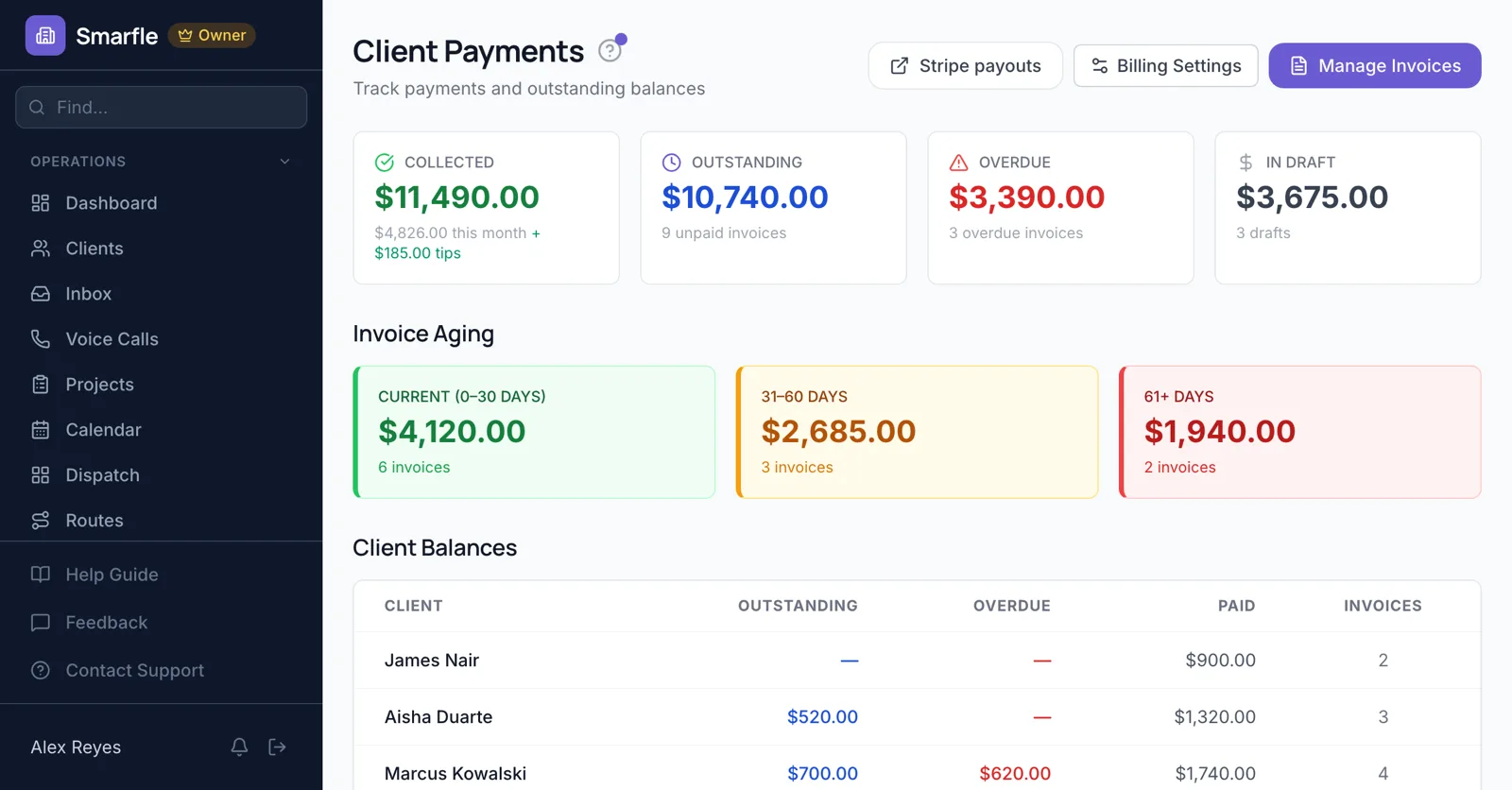
Landscape billing by month or visit
A lawn care plan can be a flat monthly service the customer subscribes to from your client portal, billed to their card every month. Or each completed mow can create its own invoice, charged to a saved card automatically. Choose per customer; both live on the same account.
Recurring jobsCharging the card on file
Customers add a card once from a link you send. From then on, sent invoices are charged to it automatically and the receipt goes out without anyone typing a card number.
Payments and saved cardsWhen a payment fails
If a card is declined, you get an email with the reason and the invoice stays open. The card is tried again the next day, and the customer can put in a new one from their link.
Statements and overdue accounts
Every customer has a statement with each invoice and payment and a running balance. The payments page groups what is owed by age, 0 to 30, 31 to 60 and over 60 days.
ReportsSeasonal and one-off work
Aeration, mulch or a spring cleanup goes on the same customer as its own job and invoice, without touching the monthly plan.
Job managementLandscaping billing software features
What it does
- Monthly recurring plansCustomers subscribe in the portal
- Invoice after every visitCreated when the visit closes
- Card on file with automatic retryYou get an email on a decline
- Customer statements and agingRunning balance per customer
What it doesn't do
- Lawn measuring from satellite mapsPrice each plan yourself
- Automatic late feesAdd a fee as an invoice line
- Card reader for field paymentsCustomers pay from the link
- QuickBooks syncCSV export instead
Smarfle vs Jobber for lawn care
| Smarfle | Jobber | |
|---|---|---|
| Entry plan | Solo $19, 1 user | Core $49, 1 user |
| Mid plan | Starter $99, 5 users | Connect $139, 1 user |
| Payment links and auto-charge saved cards | Yes | Yes |
| Guided onboarding with an implementation contact | No | Yes |
| Answers your phone without a paid add-on | Yes | No |
Lawn care billing pricing
Recurring billing and card on file are on every plan. Stripe takes 2.9% and 30 cents per card payment and Smarfle 0.5%; commercial ACH is 0.8%, capped at $5.
Starter
Small teams adding tools and growth
$99/mo
- Up to 5 users (1 owner + 4 techs)
- Up to 2,000 clients
Most Popular
Professional
Growing service businesses
$199/mo
- Up to 10 users
- Up to 5,000 clients
SMS, email, AI, and voice are billed pay-as-you-go. See every plan and usage rate →
Questions before choosing lawn care billing software
Can I bill lawn care customers monthly?
Can each mow create its own invoice?
What happens when a card is declined?
Can customers pay by bank transfer?
Can I see who owes me money?
Do customers need an account to pay?
Can customers see their invoices online?
Does it work for a solo lawn care operator?
More landscaping software
Billing for similar trades
Try lawn care billing software free
14 days with every feature on your real landscaping & lawn care work. No credit card.