Online booking for salons
Salon & barbershop scheduling software
Salon and barbershop scheduling software that keeps the chairs booked. Clients book online at any hour, each service blocks its true length on the calendar, and reminders go out before every appointment.
A short tour of the screens this page describes. It is filmed with our demo pest control company, and every trade runs on the same screens.
- From $19/month
- 14-day free trial
- Same-day US support

“We run every customer conversation through Smarfle. Texts, emails and reminders are in one place, our customers love paying with Apple Pay, and when we are busy or closed the text bot answers new leads for us.”
Get the salon & barbershop app


Salon booking around the clock
The booking page lists only times a service fits, so a quick cut and a full color never book the same slot. Confirmation is instant or waits for your OK, and questions such as hair length or color history come in with the request.
Online bookingA calendar for every stylist
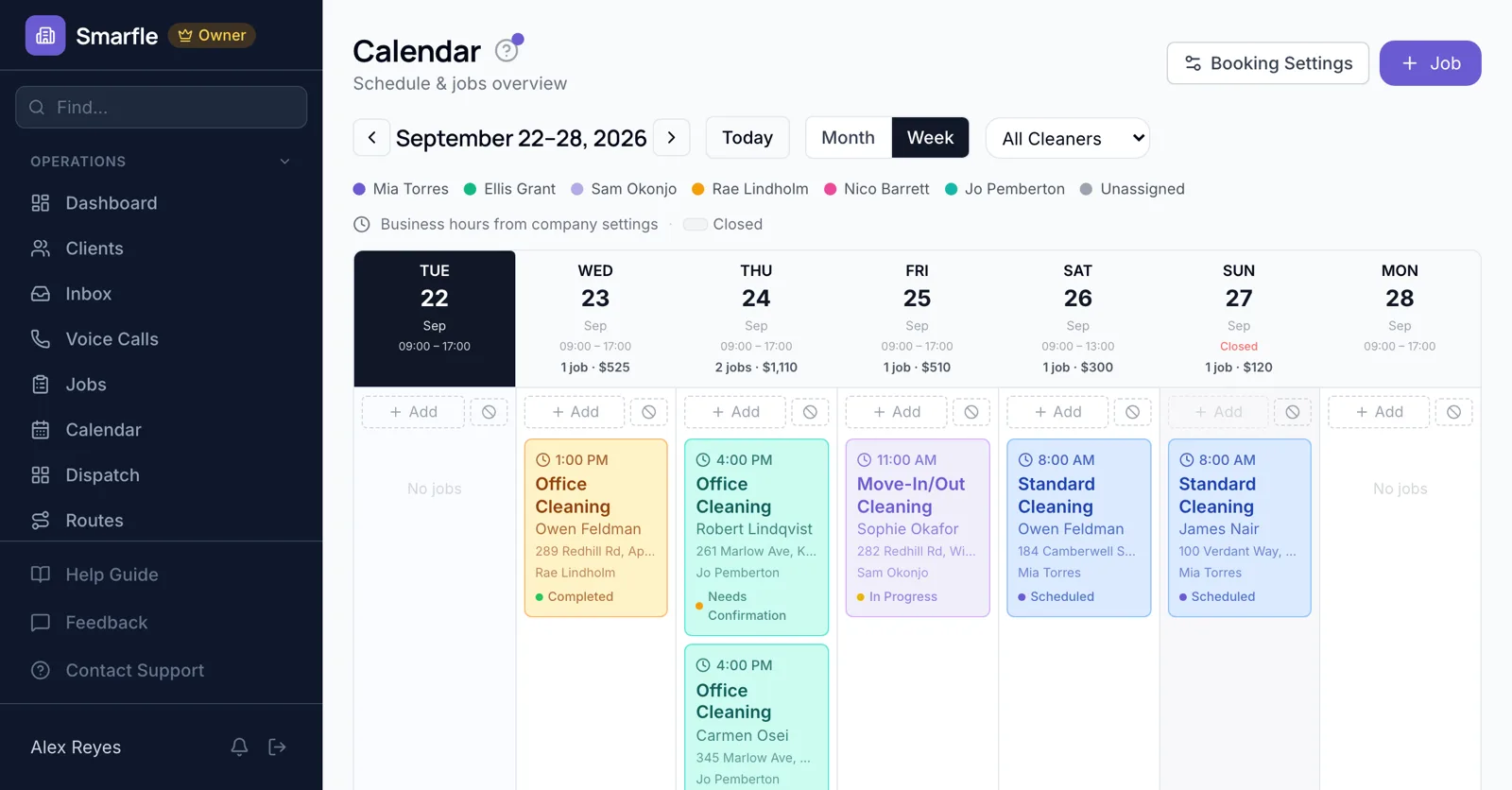
Every stylist's appointments show in their own color, so week view makes a free chair easy to spot. Drag an appointment to move it and the client is told the new time.
Calendar schedulingWalk-ins and phone bookings
Add a walk-in from the calendar in a few taps. Calls you miss while cutting can be answered by the AI receptionist, which books open times for you to approve.
AI receptionistReminders and rebooking
A text or email reminds clients the night before and on the morning itself. A rebooking reminder can go out when they are due back, for example six weeks after a cut.
Rebooking remindersClient notes and formulas
Color formulas and preferences go in fields on the client, so whoever takes the next appointment sees them.
Custom fieldsWhat the salon scheduling software includes
What it does
- Online booking 24/7Real service lengths
- Appointment and rebooking remindersText or email
- AI receptionistBooks missed calls for your approval
- Client formulas and notesFields you define
What it doesn't do
- Client picks a stylist onlineYou assign the stylist
- Deposit at online bookingUse a signed estimate for big services
- Point of sale and retailProducts sell elsewhere
- Two online bookings at the same timeOne per slot per location
Salon scheduling pricing
Solo at $19 covers one stylist. Starter adds up to four more logins, and reminder texts cost 3 cents each.
Starter
Small teams adding tools and growth
$99/mo
- Up to 5 users (1 owner + 4 techs)
- Up to 2,000 clients
Most Popular
Professional
Growing service businesses
$199/mo
- Up to 10 users
- Up to 5,000 clients
SMS, email, AI, and voice are billed pay-as-you-go. See every plan and usage rate →
Questions about barbershop appointment software
Can clients book appointments online 24/7?
Can clients choose their stylist?
Does it send appointment reminders?
Can I take a deposit to prevent no-shows?
Can two clients book the same time online?
Can I block lunch breaks and days off?
Can clients cancel or reschedule online?
Is there a plan for a one-chair barber?
More salon software
Scheduling for similar businesses
Try salon scheduling software free
14 days with every feature on your real salon & barbershop work. No credit card.