Catering scheduling software
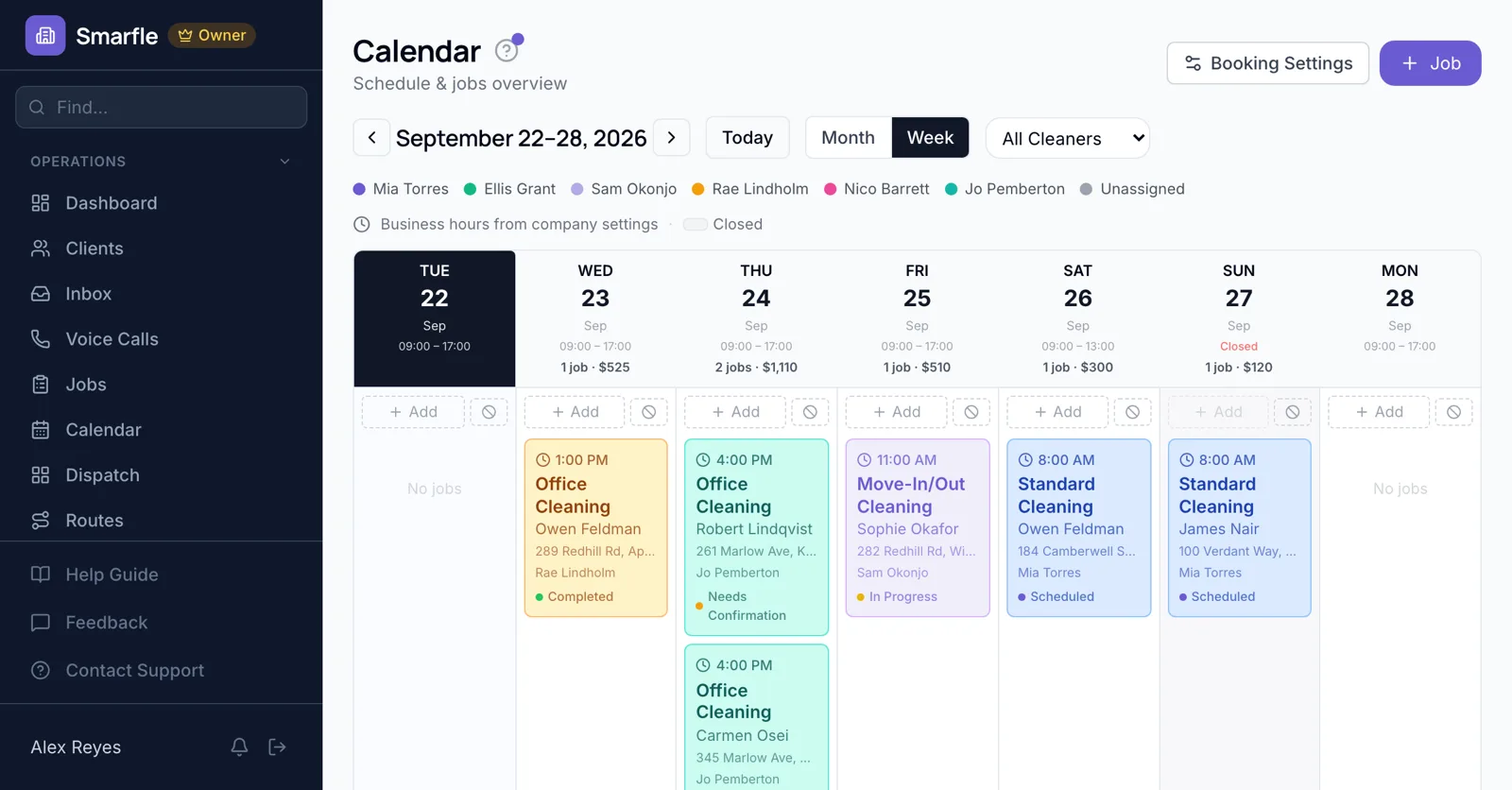
Catering scheduling software for kitchens that cook for events and offices. Couples book a tasting online, an event date is held once the proposal is signed and the deposit paid, and a law firm's Tuesday lunch repeats every week on the calendar.
14 days free · No credit card · Built in Florida
Tastings online
Consultation mode turns your booking page into tasting appointments. Guest count, event date and dietary needs are booking questions, so the chef plans the menu ahead.
Online bookingEvent dates held by deposit
When the couple signs the proposal and pays the deposit, the event is on the calendar for that date with the menu lines, so it cannot be promised twice.
Estimates and e-signaturesStanding office lunches
A weekly team lunch is a recurring job on the client's day, created two weeks ahead so prep and shopping lists can be planned.
Recurring jobsCrew for each event
Each event gets a lead, and anyone on approved leave is flagged before you staff a Saturday wedding.
Team managementVenue and timing notes
Load-in times, the venue contact and kitchen access go on the event, so the crew lead has them on their phone on the day.
Job managementCatering scheduling features
What it does
- Tastings booked onlineConsultation mode
- Event dates held by depositsFrom signed proposals
- Weekly office lunchesRecurring jobs
- Venue and load-in notesOn the crew lead's phone
What it doesn't do
- Kitchen production schedulingPlan prep separately
- Staff shift schedulingAssign event leads only
- Multiple events per time slot onlineBook events yourself
- Rental equipment availabilityCheck your rental list
Catering scheduling pricing
Tastings, events and standing orders are included in every plan, with five staff logins on Starter.
Starter
Small teams adding tools and growth
- Up to 5 users (1 owner + 4 techs)
- Up to 2,000 clients
Professional
Growing service businesses
- Up to 10 users
- Up to 5,000 clients
SMS, email, AI, and voice are billed pay-as-you-go. See every plan and usage rate →
Catering scheduling questions
Try catering scheduling software free
14 days with every feature on your real catering work. No credit card.
Start Free Trial