Ask ChatGPT or Claude about your business
Connect Smarfle to ChatGPT or Claude and ask in plain words what's on today's schedule, who still owes you money or where a customer lives. The answers come from your own Smarfle account, and you can add a lead, a note or a job request the same way.
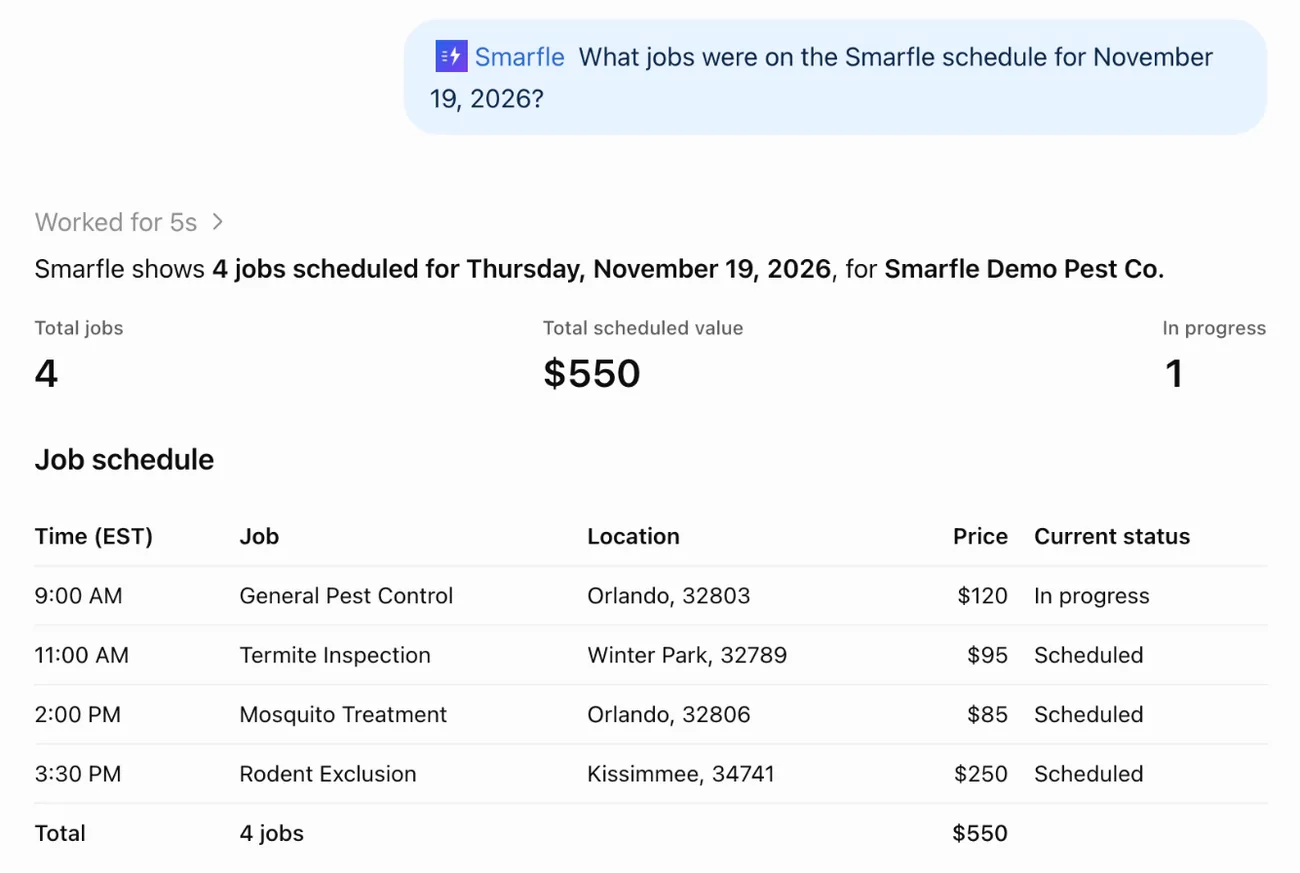
A real ChatGPT answer from the Smarfle account of our demo pest control business.
- Live in 2 minutes
- No setup fee
- No long-term contract

“We run every customer conversation through Smarfle. Texts, emails and reminders are in one place, our customers love paying with Apple Pay, and when we are busy or closed the text bot answers new leads for us.”
Get the Smarfle app


Why owners ask instead of clicking
You may already use ChatGPT or Claude for emails and quotes. Until it is connected, it knows nothing about your schedule, your customers or the money you're owed.
Every answer means logging in
You're in the truck or at the kitchen table and need one number. Getting it means opening the app, finding the right screen and scrolling until you see it.
Copying names and amounts by hand
To get help with a payment reminder or next week's plan, you paste customers, dates and totals into the chat yourself and hope nothing was missed.
An assistant that can't see your work
Without your records, the assistant answers in general terms. You still do the looking up, and it still guesses at the details.
How to connect
- 1
Add Smarfle in ChatGPT or Claude
In ChatGPT, add a custom MCP server on the Plugins page. In Claude, add a custom connector under Settings, Connectors. Both use the address www.smarfle.com/api/mcp.
- 2
Sign in to Smarfle and approve
Smarfle opens. Sign in as the owner or a manager, choose read only or allow changes, and press Approve and connect.
- 3
Ask in plain words
Pick Smarfle in a chat and ask. A new lead or note is saved in Smarfle at once, and a job request waits for your office to confirm it.
What it can see and do
Jobs and the schedule
Any day or date range, with the customer, service, time, address, price and status of each job.
Customers
Search by name, email, phone or company, then see contact details, the service address, status and tags.
Invoices
Unpaid, overdue, draft or paid, with line items, totals, due dates and payment status.
Services and prices
The services you offer and the standard price of each, as your catalog has them.
Changes you allow
Add a customer or lead, update contact details or status, write a private note, or send a job request for the office.
What stays off limits
It has no way to delete anything, text or email your customers, or charge a card, whatever it is asked.
What you can ask
Real questions from a ChatGPT session on the Smarfle account of our demo pest control business. Claude answers from the same Smarfle data.
Your schedule for any day
Asked for the jobs on November 19, ChatGPT listed four jobs worth $550 in total, with the time, town, price and status of each.
Who still owes you
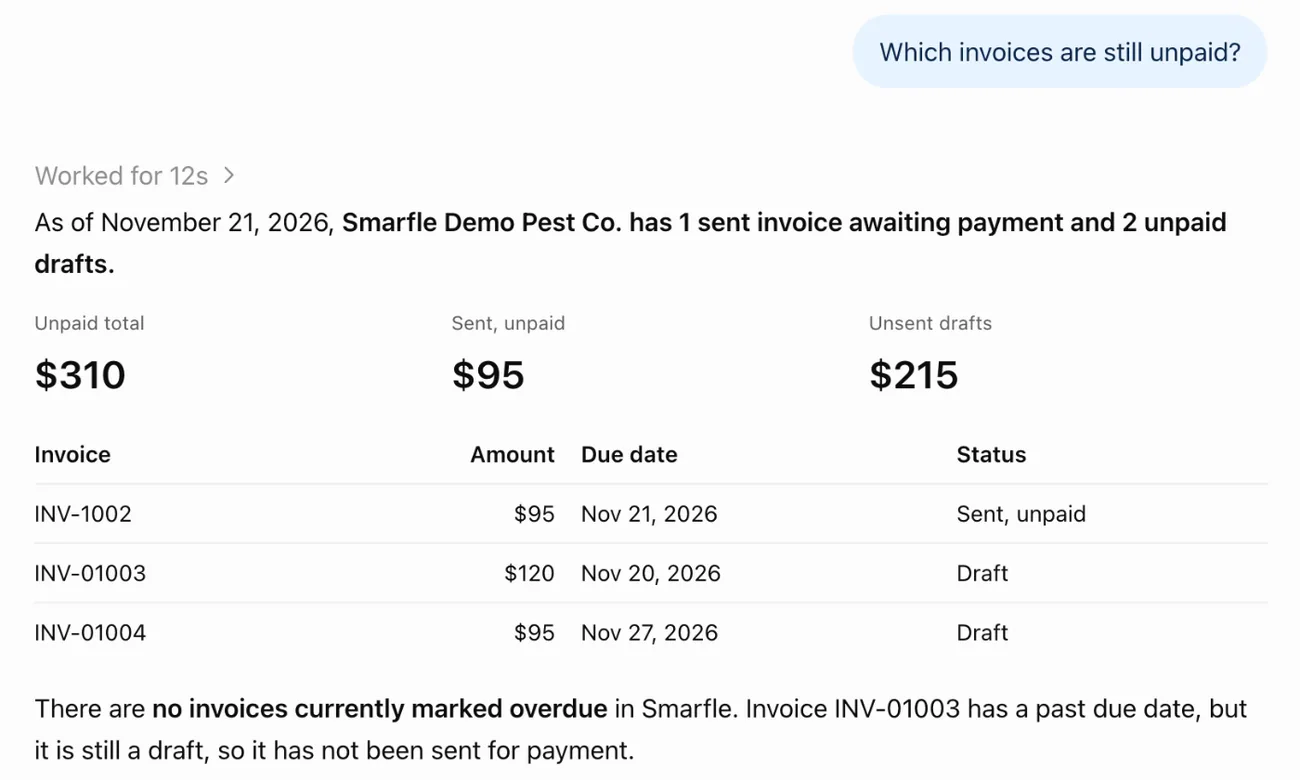
Asked which invoices are unpaid, it found $310 in total, one sent invoice for $95 and two drafts for $215 that were never sent.
A customer in seconds
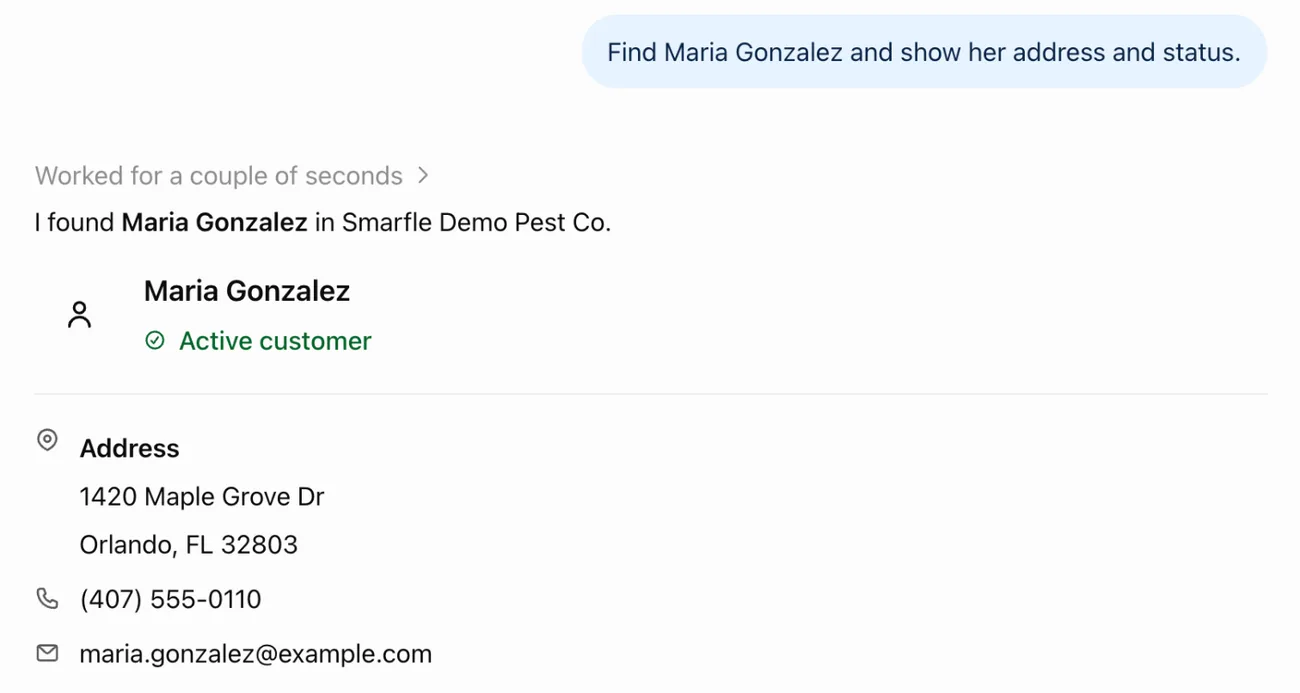
Asked to find Maria Gonzalez, it showed her address, phone, email and status, and the $120 draft invoice on her account.
Notes by asking
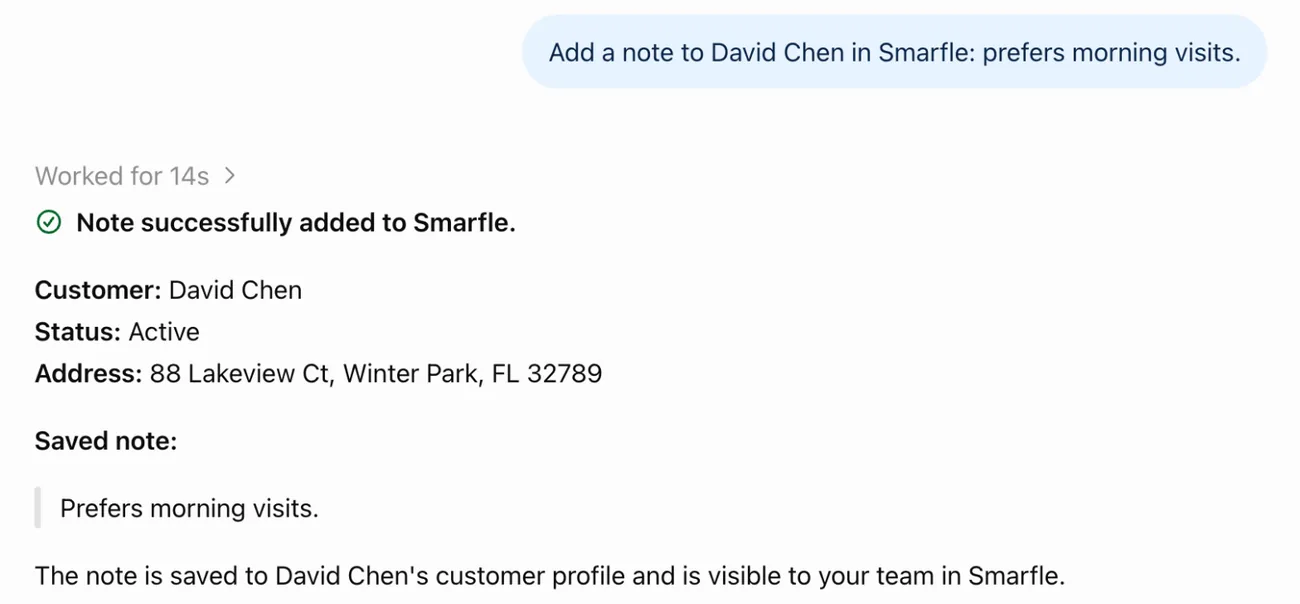
Told that David Chen prefers morning visits, it saved the note on his customer record, where the whole team sees it.
Questions about ChatGPT and Claude
Which AI assistants work with Smarfle?
Who can connect an assistant?
Can it delete records or message my customers?
Can it see other businesses?
What does it cost?
What happens to my data?
How do I disconnect it?
What it costs
All plans
Questions are free
Asking about jobs, customers, invoices and services costs nothing. Changes come out of your prepaid wallet at the API rate, on every plan and during the free trial.
$0.003 per change, reads free
View all plansRelated Features
Ready to try ChatGPT and Claude Connector?
Start your 14-day free trial. No credit card required.